The 15 Best AI Tools for Small Business in 2026 (Tested & Ranked)
Affiliate disclosure: This post contains affiliate links. If you sign up for a tool through one of my links, I may earn a small commission at no extra cost to you. I only recommend tools I’ve personally used or thoroughly vetted, and my rankings are not influenced by commission rates. See my full disclosure policy for details.
Last Updated: May 2026
Let me save you about 40 hours of research right now. Over the past several months, I’ve worked through more than 30 AI tools, paying for real subscriptions, using them on actual business tasks, and ruthlessly cutting the ones that didn’t deliver. What you’ll find below is the shortlist that survived.
Here’s the thing: most “best AI tools” lists are written by people who got a free demo and a commission link. They’ll recommend the same 20 generic tools whether you run a coffee shop, a SaaS company, or a freelance design business. The lists all blur together because none of them start with the question that actually matters: what kind of business is the reader running?
This guide is different. I’ve broken down the 15 best AI tools for small business in 2026 by what they actually do (writing, productivity, customer service, marketing, design, automation) with honest pros and cons for each. Some I love and use every day. Some I tested and dropped. Some I recommend with a caveat.
No paid placements. No fluff. Just the tools that genuinely earn their place in a small business owner’s tech stack. By the end of this article, you’ll know exactly which AI tools to invest in, which to skip, and which combination will give you the highest ROI for your business.
Let’s get into it.
How I Tested These AI Tools (My Methodology)
Before you trust any “best of” list, you should know how the rankings were made. Here’s mine.
The 30+ Tools I Evaluated
I started with a long list of every AI tool I’d seen recommended in the small business space, plus the ones being talked about in founder communities and on Product Hunt. That gave me roughly 35 tools to look at across writing, productivity, marketing, customer service, design, automation, and a few specialized verticals. From there, I cut anything that didn’t have a real free trial or a meaningful free tier (because if a tool won’t let me test it, I won’t recommend it), and anything that turned out to be a rebadged ChatGPT wrapper with no real differentiation.
The 5 Criteria I Used
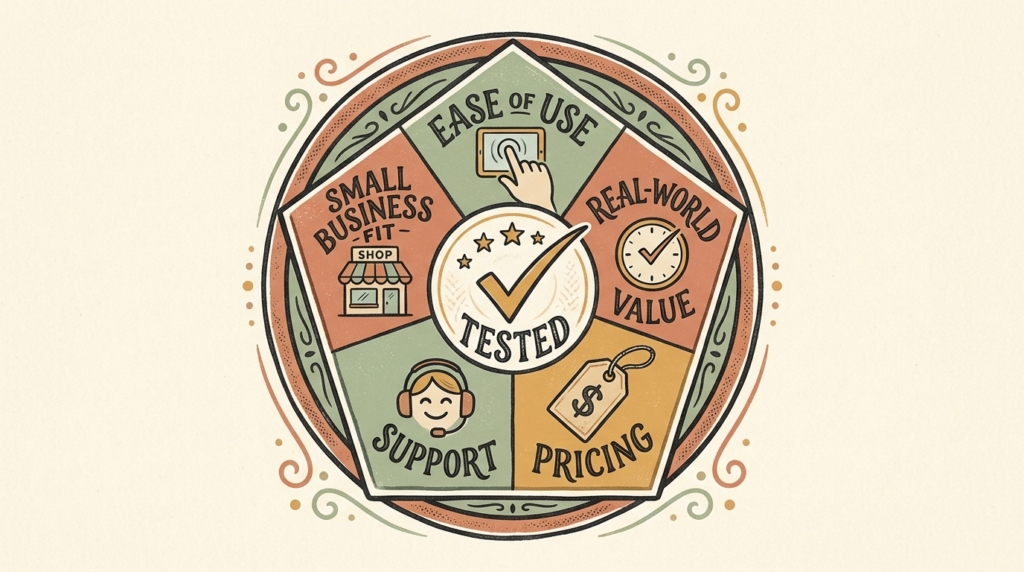
Every tool that made the final 15 had to clear five bars:
- Ease of use. Could a non-technical small business owner sign up and produce real value within an hour? If the answer was “only with a YouTube tutorial,” it didn’t make the cut.
- Real-world value. Did the tool actually save time or solve a problem I had, or did it just look impressive in a demo?
- Pricing. Was it priced fairly for a small business budget? Was the free tier usable, and did the paid tiers scale reasonably?
- Support and reliability. Did the tool work consistently? Was there support I could actually reach if something broke?
- Small business fit. Was this designed with small businesses in mind, or was it an enterprise product squeezed down to a smaller plan?
How Long I Tested Each Tool
Minimum two weeks of real use on real tasks. Some tools I’ve been using for over a year. Others I gave a fair two-week trial, ran them through a handful of practical scenarios, and either kept them in the rotation or moved on. I deliberately avoided forming opinions in the first 48 hours, because almost every AI tool feels magical for the first day or two before its limitations show up.
Why I’m Not Recommending Whatever Pays the Highest Commission
I’ll be honest with you: some of the tools below pay me an affiliate commission if you sign up through my link. Some don’t. The rankings are not influenced by commission rates. In several cases, the tools at the top of their category pay less than the ones I rank lower. I’m doing this because I’m playing a long game. If I send readers to bad tools, they stop reading. The honest review is the more profitable review over time.
What “Best” Means for Non-Technical Owners
“Best” in this article means: best for a small business owner who is not a developer, doesn’t want to spend three weekends learning a new platform, and needs the tool to deliver visible value within the first month. If you’re a CTO at a 200-person company, this list might not be for you. If you run a service business, an ecommerce shop, an agency, or a one-person shop, you’re exactly who I wrote this for.
Best AI Tools for Small Business: Quick Comparison Table
Skim this if you’re short on time. Detailed write-ups follow below.
| Tool | Best For | Price | Free Tier? | My Rating |
| ChatGPT | All-purpose AI assistant | Free / $20 | Yes | 9.5/10 |
| Claude | Long-form writing, document analysis | Free / $20 | Yes | 9.5/10 |
| Jasper | Content marketing teams | $49+ | No (trial only) | 8/10 |
| Copy.ai | Short-form marketing copy | Free / $49 | Yes | 7.5/10 |
| Notion AI | Notes, projects, team docs | $10/user add-on | Limited | 9/10 |
| ClickUp AI | Project management with AI | $7+ per user | Yes | 8/10 |
| Reclaim.ai | AI scheduling and calendar | Free / $10+ | Yes | 8.5/10 |
| Otter.ai | Meeting transcription | Free / $17+ | Yes | 9/10 |
| Surfer SEO | Content optimization | $89+ | No | 8.5/10 |
| Canva AI | Graphic design | Free / $15 | Yes | 9.5/10 |
| Mailchimp AI | Email marketing automation | Free / $13+ | Yes | 8/10 |
| Buffer AI | Social media scheduling | Free / $6+ | Yes | 8/10 |
| Tidio | AI chatbot for ecommerce | Free / $29+ | Yes | 8.5/10 |
| Zapier | Workflow automation | Free / $20+ | Yes | 9/10 |
| Make | Visual workflow building | Free / $9+ | Yes | 8.5/10 |
Recommended Starting Stack by Business Type
- Solopreneur / freelancer: ChatGPT Plus + Canva Pro + Otter.ai. About $52/month.
- Local service business: ChatGPT (free) + Canva Pro + Tidio + Buffer. About $50/month.
- Ecommerce shop: ChatGPT Plus + Canva Pro + Tidio + Mailchimp. About $77/month.
- Agency / consultancy: ChatGPT Plus + Claude Pro + Notion AI + Otter + Zapier. About $75 to $100/month.
- Content creator: ChatGPT Plus + Claude Pro + Canva Pro + Surfer SEO. About $135/month.
Best AI Writing Tools for Small Business
Writing is where AI delivers the fastest, most visible ROI for most small businesses. If you’re only going to invest in one category, start here.
1. ChatGPT (OpenAI): The All-Purpose AI Assistant
Best for: Owners who want one tool that handles writing, brainstorming, summarizing, research, and basic coding. Should be your first AI tool.
Price: Free tier (excellent). Plus tier $20/month. Team and Enterprise available.
ChatGPT is the tool I open more often than any other in my workday, and it’s the one I recommend to every new AI user, period. The free tier is genuinely useful, and the $20/month Plus tier unlocks the best models, file uploads, image generation, custom GPTs, and longer context windows. There’s a reason this is the default for most small business owners: it’s flexible, cheap, and good at almost everything.
I’ve used ChatGPT for drafting client emails, summarizing long meeting transcripts, brainstorming blog post outlines, cleaning up rough notes, translating customer support replies, and even debugging the occasional Zapier expression. It’s the AI tool that gets out of the way fastest and lets you focus on the work.
Pros: Best general-purpose model on the market. Massive ecosystem of custom GPTs. Strong file and image handling on the Plus tier. Generous free tier.
Cons: Can be confidently wrong (you have to fact-check). Voice can feel generic without prompt training. Not optimized for long-form documents the way Claude is.
Who should skip it: Honestly, no one. If you’re not using ChatGPT or one of its peers, you’re leaving real value on the table.
Try ChatGPT
2. Claude (Anthropic): The Thoughtful Writer’s Choice
Best for: Long-form writing, document analysis, content where tone and nuance matter.
Price: Free tier. Pro tier $20/month. Team plan available.
Claude is what I reach for when I want writing that doesn’t feel like AI writing. It tends to produce more natural prose, handles long documents better than most competitors, and is noticeably better at following nuanced instructions. For anything client-facing where tone matters (proposals, sensitive emails, longer-form content), Claude often wins.
I keep both ChatGPT and Claude open in my workflow. ChatGPT is my generalist; Claude is my writer. The Pro tier gives you Projects (a feature where you can save files, instructions, and brand voice samples that Claude references in every conversation), which is genuinely useful for keeping the AI consistent across a long project.
Pros: Best-in-class long-form writing. Excellent at following detailed instructions. Handles big documents (think 100+ pages) with surprisingly good comprehension. Conservative posture on data privacy.
Cons: Smaller plugin and integration ecosystem than ChatGPT. Image generation and tool use are less mature. Some users find the careful, hedging style overly cautious.
Who should skip it: Owners whose AI use is mostly short, transactional tasks. ChatGPT covers those just as well at the same price.
Try Claude
3. Jasper: For Content Marketing Teams
Best for: Marketing teams producing high content volume that need brand voice training, templates, and team workflows.
Price: Creator $49/month. Pro $69/month. Business custom pricing.
Jasper is built specifically for marketing teams, and it shows. The brand voice training is genuinely useful: feed it samples of your best writing and it’ll produce on-brand content far more reliably than a generic chatbot. The template library is extensive. The team collaboration features are well-thought-out.
Here’s my honest caveat though: Jasper is using the same underlying models as ChatGPT and Claude, plus a layer of marketing-specific tooling on top. For a solopreneur writing a few blog posts a month, the $49 starting price is hard to justify when ChatGPT Plus does 90% of the same job for $20. Jasper makes sense once you have content volume that justifies the dedicated workflow.
Pros: Strong brand voice training. Useful templates for common marketing formats. Good team collaboration. Tight integrations with Surfer SEO and other marketing tools.
Cons: Pricier than the underlying models warrant for solo users. Locked features behind higher tiers can feel restrictive. No free tier (trial only).
Who should skip it: Solopreneurs and small teams writing under 10 pieces of content a month. ChatGPT Plus is better value at that volume.
Try Jasper
4. Copy.ai: For Short-Form Marketing Copy
Best for: Quick marketing copy: ad headlines, product descriptions, social posts, email subject lines.
Price: Free tier (limited). Pro $49/month. Team and Growth tiers available.
Copy.ai is the tool I’d recommend if your AI use case is mostly short, structured copy. It’s template-driven, which is faster than writing your own prompts from scratch when you’re cranking out 20 ad variations. The free tier is generous enough to test fully before committing. For ecommerce shops writing dozens of product descriptions or marketers running ad tests, the workflow is genuinely better than a blank chatbot.
Pros: Fast for short-form copy. Strong template library. Generous free tier for testing. Good for ad and ecommerce workflows.
Cons: Output quality on long-form content lags behind ChatGPT and Claude. Some templates feel formulaic. Pricing is a bit high relative to peers.
Who should skip it: Anyone whose primary use case is long-form writing, document analysis, or anything requiring nuance.
Try Copy.ai
Which AI Writing Tool Should You Pick First?
If you’re starting from zero, start with ChatGPT (free tier). Use it for two weeks. If you find yourself wanting more natural prose or working with long documents, add Claude. If you’re running a content marketing operation at volume, look at Jasper. If you’re doing high volumes of short-form ad and product copy, look at Copy.ai. Most small business owners will never need anything beyond ChatGPT and maybe Claude.
Best AI Productivity Tools for Small Business
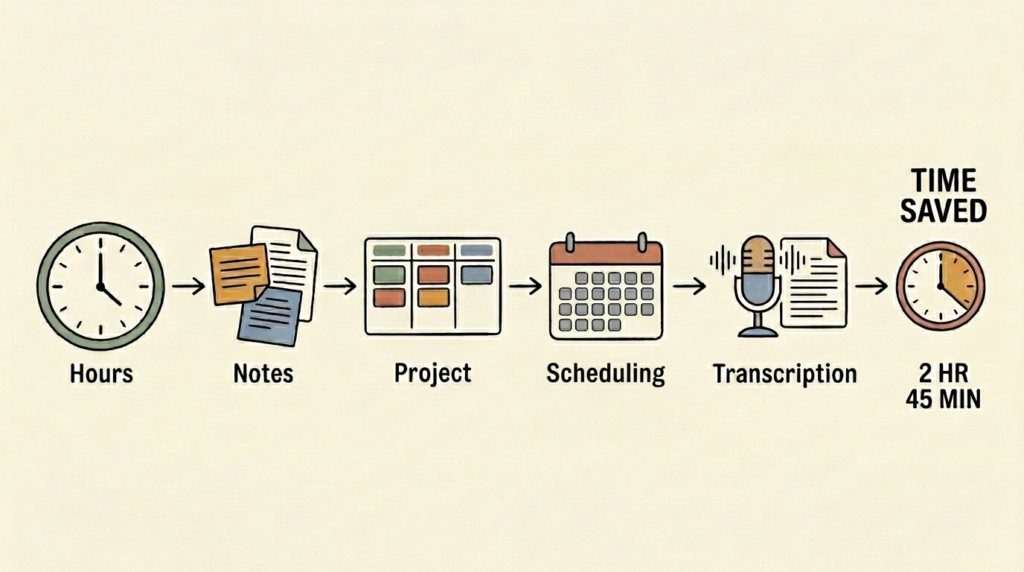
These are the tools that quietly give you back 5 to 10 hours a week. Less flashy than the writing tools, but often higher ROI.
5. Notion AI: For Notes, Projects, and Team Docs
Best for: Teams already using Notion who want AI baked into their existing workspace.
Price: $10/month per user as an add-on to any Notion plan.
If your business already lives in Notion, turning on Notion AI is one of the highest-leverage decisions you can make. It summarizes pages, generates first drafts inside any document, translates content, extracts action items from meeting notes, and can answer questions about anything in your workspace. The integration is seamless because the AI is right there, in the doc you’re already working in.
I’ve used Notion AI for turning rough meeting notes into structured summaries with action items, generating first drafts of SOPs based on bullet-point outlines, and asking questions across an entire project workspace (which is shockingly useful when you’re trying to remember what was decided three months ago).
Pros: Lives inside your existing workflow. Excellent at summarization and extraction. Q&A across your entire workspace is genuinely magical. Reasonable pricing.
Cons: Only worthwhile if you’re already using Notion seriously. Output quality on creative writing trails ChatGPT and Claude. The $10/user add-on can add up for larger teams.
Try Notion AI
6. ClickUp AI: Project Management With AI Built In
Best for: Teams running projects in ClickUp who want AI-generated summaries, task descriptions, and standups.
Price: ClickUp plans start at $7/user/month. AI is a $7/user/month add-on.
ClickUp AI lives inside the ClickUp project management platform and does what you’d expect: writes task descriptions, generates project summaries, drafts standup updates from your activity, summarizes long comment threads. If you’re already running your business on ClickUp, the AI add-on pays for itself within a couple weeks for most teams.
Pros: Seamless inside ClickUp. Useful for status updates and task management. Reasonable price.
Cons: Only worthwhile if you’re already on ClickUp. AI features are good, not exceptional, compared to dedicated tools. The add-on cost stacks on top of the base plan.
Who should skip it: Anyone not already using ClickUp. The AI alone isn’t a reason to switch project management platforms.
Try ClickUp
7. Reclaim.ai: AI-Powered Scheduling
Best for: Owners who want AI to manage their calendar, protect focus time, and auto-schedule recurring tasks.
Price: Free tier available. Starter $10/month. Business $15/month.
Reclaim is a calendar AI that auto-schedules your recurring tasks, protects focus blocks, and intelligently moves things around when conflicts come up. It’s one of those tools that sounds gimmicky until you use it for a week, and then you can’t imagine going back. I’ve had Reclaim manage my deep work blocks, my weekly admin time, and my recurring 1:1s for months, and it’s genuinely better than scheduling them manually.
Pros: Excellent automatic rescheduling. Generous free tier. Solid integration with Google Calendar and project tools.
Cons: Google Calendar only (no native Outlook support yet). Initial setup takes a couple hours to dial in. Some learning curve before it gets out of your way.
Try Reclaim.ai
8. Otter.ai: Meeting Transcription and Notes
Best for: Anyone who takes 3+ meetings a week and wants automatic transcripts, summaries, and action items.
Price: Free tier (300 minutes/month). Pro $17/month. Business $30/user/month.
Otter joins your Zoom, Google Meet, or Teams calls automatically, transcribes the conversation in real time, and produces a clean summary with action items afterward. I haven’t taken a manual meeting note in over a year. The summaries are usually better than what I’d write myself, because I was always half-listening while trying to type.
Fathom and Fireflies are direct competitors and both are excellent. Fathom’s free tier is more generous than Otter’s if you’re testing. Pick one, stick with it, and never take a manual meeting note again.
Pros: Real-time transcription is fast and accurate. Summaries with action items are genuinely time-saving. Searchable archive of every call. Free tier is usable.
Cons: Free tier minutes cap is tight if you take a lot of calls. Some interview-style transcription quality drops with multiple speakers. Privacy considerations if you’re recording sensitive calls (always disclose).
Try Otter.ai
Best AI Marketing Tools for Small Business
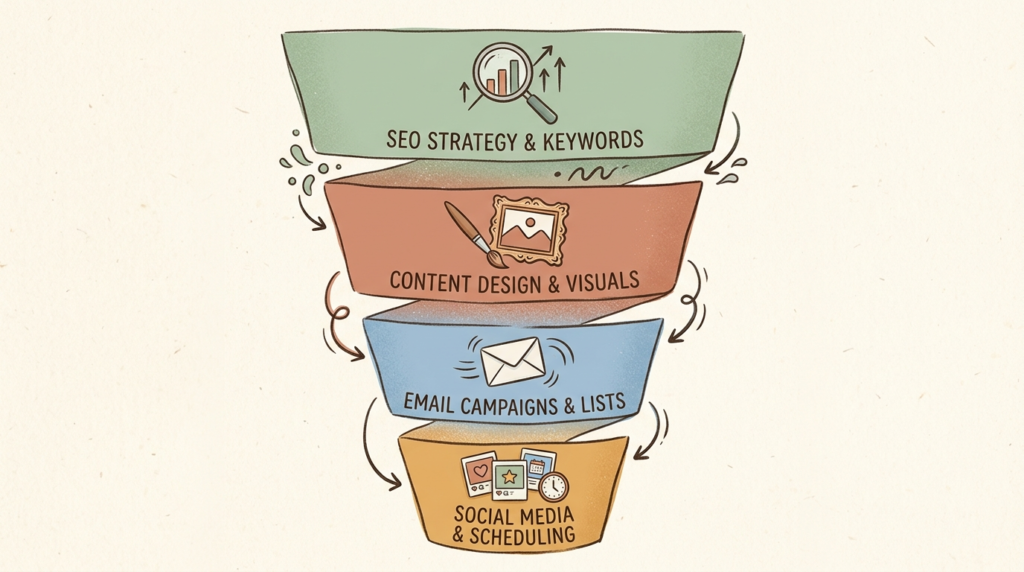
These tools help you produce, optimize, and distribute marketing content faster than you could ever do manually.
9. Surfer SEO: Content Optimization
Best for: Owners writing blog content who want to rank in Google search results.
Price: Essential $89/month. Advanced $179/month.
Surfer SEO analyzes the top-ranking pages for any keyword you target and tells you exactly what topics, terms, and structural elements to include in your content to compete. It’s a content optimization tool, not a writer (though it has writing assistants built in). For anyone serious about SEO, this is the tool that bridges the gap between “I wrote a blog post” and “My blog post ranks on page one.”
Pros: Genuinely improves search rankings when you follow its guidance. Excellent content editor. Strong keyword research tools.
Cons: Pricey for early-stage solopreneurs. Can encourage formulaic content if you follow its guidance too literally. Overkill if SEO isn’t your primary traffic strategy.
Who should skip it: Businesses that don’t rely on organic search traffic. Local service businesses with foot traffic, for example, are usually better served by Google Business optimization than blog SEO.
Try Surfer SEO
10. Canva AI (Magic Studio): Graphic Design Without a Designer
Best for: Owners producing social graphics, marketing assets, presentations, and basic visual content.
Price: Free tier (excellent). Pro $15/month.
Canva’s AI suite (Magic Design, Magic Write, Magic Eraser, Magic Edit, AI image generation) covers nearly every visual need a small business has. The free tier is genuinely usable. Canva Pro at $15/month unlocks the heavy AI features and brand kits, and I think it’s one of the best $15/month investments any small business can make.
I’ve used Canva to spin up Instagram story templates, blog post hero images, simple infographics, presentation decks, and one-off promotional graphics. None of it required design skill. None of it took more than 15 minutes.
Pros: No design skill required. Free tier is genuinely useful. Massive template library. AI features integrate seamlessly into the existing design workflow.
Cons: Output can look generic if you stick too close to templates. AI image generation isn’t as polished as Midjourney or Adobe Firefly. Heavy users of design software (Adobe Suite) will find it limited.
Try Canva Pro
11. Mailchimp AI (or MailerLite AI): Email Marketing
Best for: Owners running email newsletters, ecommerce automations, or customer email sequences.
Price: Mailchimp free up to 500 contacts. Paid plans from $13/month.
Mailchimp’s AI features generate subject lines, suggest send times, draft email copy from prompts, segment audiences automatically, and predict campaign performance. MailerLite has similar features at a more aggressive price point and is worth a look if you’re cost-sensitive. For most small businesses, either works fine. Pick based on which interface you prefer and which integrates better with your existing tools.
Pros: AI subject line and send time optimization actually improves open rates. Templates and automation flows save hours. Free tier is workable for early-stage businesses.
Cons: Pricing scales steeply once you grow past 1,000 to 2,500 contacts. Some advanced AI features locked behind higher tiers. Klaviyo is better for serious ecommerce.
Try Mailchimp
12. Buffer AI (or Hootsuite): Social Media Scheduling
Best for: Owners managing 2 or more social channels who want to batch and schedule content in advance.
Price: Buffer free tier. Paid from $6/channel/month. Hootsuite from $99/month.
Buffer is my preferred social scheduling tool because it’s simple, affordable, and the AI assistant is genuinely useful for repurposing content across channels. You can take a single blog post or video transcript and have Buffer’s AI draft variations for LinkedIn, X, Instagram, and Facebook in about two minutes. Hootsuite is more enterprise-y and more expensive, but if you’re managing 10+ channels with a team, it might be the better fit.
Pros: Affordable, especially compared to Hootsuite. AI repurposing is fast and useful. Clean interface. Good free tier.
Cons: Lacks some of the advanced analytics that bigger tools offer. Hashtag and engagement features are basic. Better for scheduling than community management.
Try Buffer
Best AI Customer Service Tools for Small Business
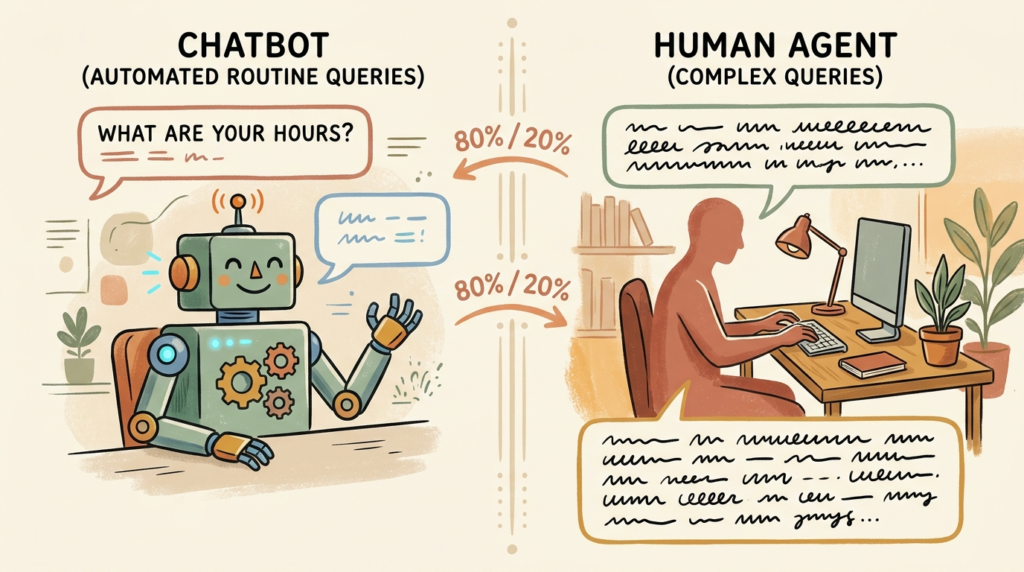
AI customer service tools handle the repeat questions so you can focus on the customers who genuinely need a human.
13. Intercom Fin: AI Chatbot for Established Support Teams
Best for: Businesses already using Intercom for customer support.
Price: Intercom plans from $39/month. Fin AI is a per-resolution add-on around $0.99/resolution.
Fin is Intercom’s AI chatbot, and it’s one of the most capable AI support agents on the market. It learns from your help docs and past tickets, then resolves customer questions independently when it’s confident, and escalates to a human when it isn’t. The pay-per-resolution pricing is unusual but works out to lower costs than you’d think for most small businesses.
Pros: Genuinely capable AI agent. Pay-per-resolution pricing is fair. Strong escalation logic.
Cons: Only worth it if you’re already on Intercom. Setup and training takes a few weeks of refinement. Costs can add up quickly with high ticket volume.
Who should skip it: Businesses not on Intercom. The platform itself is heavyweight for small teams.
Try Intercom Fin
14. Tidio: Affordable AI Chatbot for Small Ecommerce
Best for: Small ecommerce shops, local businesses, and service businesses on a budget.
Price: Free tier (50 conversations/month). Starter $29/month. Plus from $59/month.
Tidio is what I recommend to most small businesses asking about chatbots. The free tier handles 50 conversations a month, which is enough for many local businesses to start. The AI (called Lyro) is trained on your FAQs and store policies, and it handles the basics: hours, returns, shipping, product availability. Setup is genuinely fast (under an hour for a typical business).
Pros: Affordable. Easy setup. Free tier is real. Strong ecommerce integrations (Shopify, WooCommerce).
Cons: AI quality is good but not on par with Intercom Fin for complex queries. Free tier conversation limits are tight for higher-traffic sites. Customization options on the lower tiers are limited.
Try Tidio
Best AI Automation Tools for Small Business
Automation is where AI quietly compounds. These tools connect your apps and let AI handle the busywork that flows between them.
15. Zapier: The OG of Business Automation
Best for: Connecting apps, automating routine workflows, and now adding AI logic to those workflows.
Price: Free tier (100 tasks/month). Starter $20/month. Professional $49/month.
Zapier connects nearly every business tool you can name and lets you build automated workflows between them with no code. The AI features that have been added over the past two years (AI-generated workflows, AI logic steps, conversational Zap building) make it easier than ever for non-technical owners to build genuinely complex automations.
Real example: I have a Zap that takes any new lead from a website form, scores it with AI based on the message content, drafts a personalized follow-up email, adds the lead to my CRM, and notifies me on Slack if the score is above a threshold. That’s one Zap. It runs forever. It would have taken a developer to build this five years ago.
Pros: Connects almost everything. Zero coding required. AI features are genuinely useful for non-technical users. Reliable and well-documented.
Cons: Pricing scales fast once you cross 750+ tasks/month. Some integrations are deeper than others. Make is cheaper for high-volume workflows.
Try Zapier
Make (formerly Integromat): Visual Workflow Building
Best for: Owners who want more powerful workflows at a lower price than Zapier.
Price: Free tier (1,000 operations/month). Core $9/month. Pro $16/month.
Make is Zapier’s biggest competitor, and for high-volume workflows, it’s often cheaper. The visual workflow builder is more powerful than Zapier’s linear interface, but it has a steeper learning curve. If you’re running thousands of automations a month, Make pays for itself quickly. If you’re building your first three Zaps, stick with Zapier.
Pros: Significantly cheaper than Zapier at scale. Visual builder allows more complex workflows. Strong community and templates.
Cons: Steeper learning curve. Smaller integration library than Zapier. Documentation isn’t always as polished.
Honorable mention: n8n. For developers or teams that want a self-hostable, open-source automation tool, n8n is excellent. It’s free if you self-host and gives you total control. Skip it if the words “self-host” made you nervous.
Try Make
Best AI Tools for Specific Business Types
The 15 tools above are solid baseline recommendations. Here’s how to think about which ones matter most based on what kind of business you actually run.
Service Businesses (Consultants, Coaches, Agencies)
Your wins concentrate around proposals, client communication, and meeting management. Prioritize ChatGPT or Claude for writing, Otter for meeting notes, Notion AI if you live in Notion, and Reclaim for calendar management. Skip the heavy marketing tools until you have content volume to justify them.
Ecommerce Stores
Your wins are product descriptions, customer service, email marketing, and social content. Prioritize ChatGPT or Copy.ai for product copy, Tidio for chatbots, Mailchimp for email automation, and Canva for visuals. Surfer SEO if you’re investing in content marketing.
Local Businesses (Restaurants, Salons, Retail)
Your wins are social media, customer service, and review responses. ChatGPT free tier is plenty for most copy tasks. Add Canva Pro for visuals, Buffer for social scheduling, and Tidio if you handle customer questions online. Skip the heavy SEO and content marketing tools.
Content Creators and Solopreneurs
Your wins are content creation and repurposing. Prioritize ChatGPT Plus, Claude Pro, Canva Pro, and a transcription tool like Otter. Tools like Descript and Opus Clip (not in this main list, but worth knowing) are gold for video repurposing.
B2B and SaaS Small Businesses
Your wins are sales outreach, demand generation, and customer success. Prioritize ChatGPT Plus, Notion AI, Zapier, Otter, and a chatbot like Intercom Fin if you’re already on Intercom. Add Surfer SEO if content marketing is part of your strategy.
Professional Services (Legal, Accounting, Real Estate)
Privacy is your top concern. Use Claude (Pro tier or Team) over ChatGPT for any client work because of stricter data policies. Industry-specific tools (Harvey for legal, ChatGPT Team configured for accounting workflows, listing description tools for real estate) often outperform general AI here. Always verify compliance before pasting client data anywhere.
My Recommended AI Stack by Business Stage
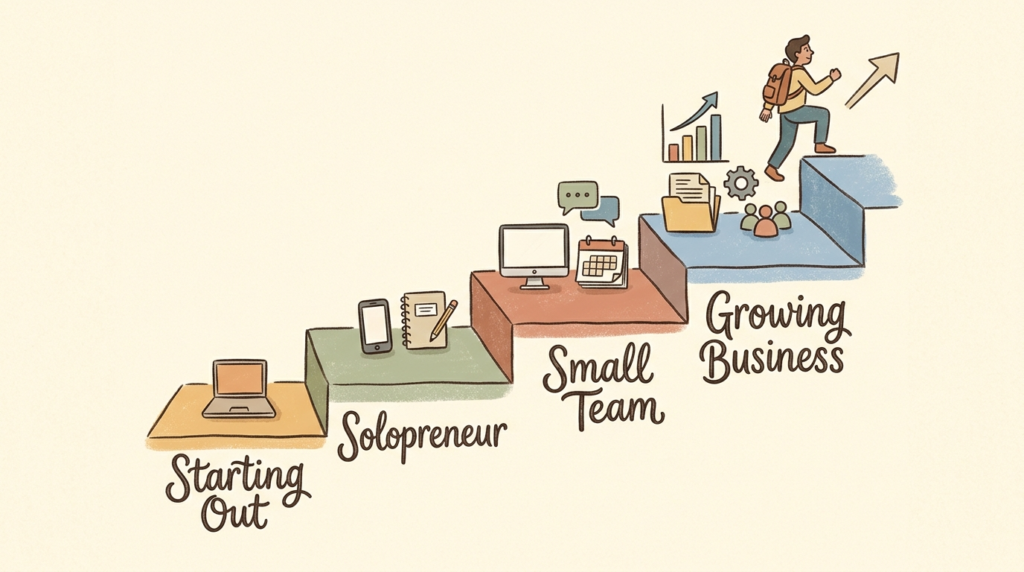
Don’t buy everything at once. Build your AI stack the same way you’d build any other operational system: start with the fundamentals, master them, then layer in more as your business grows.
Just Starting Out (Free / Under $30/Month)
ChatGPT (free) + Canva (free) + Zapier (free) + Otter (free). Total cost: $0. This is enough to handle 80% of the AI value most early-stage businesses can capture. Use these for two or three months before paying for anything.
Solopreneur ($30 to $100/Month)
ChatGPT Plus ($20) + Canva Pro ($15) + Otter Pro ($17) + Buffer ($6 per channel). Total: roughly $60 to $90 depending on social channels. This is the stack I’d recommend to most solo business owners running consulting, coaching, or freelance work.
Small Team ($100 to $300/Month)
Add Notion AI ($10/user) for shared workspaces, Zapier paid ($20+) for team automations, and a marketing tool like Mailchimp ($13+) or Surfer SEO ($89). Now you’re running a real operational stack.
Growing Business ($300+/Month)
Layer in dedicated marketing tools (Jasper, Surfer SEO), customer service AI (Tidio or Intercom Fin), and team collaboration upgrades. At this stage, the math on each tool should be obvious: it’s either saving real labor hours or driving real revenue. If a tool can’t pass that test, cut it.
The 80/20 Rule
Most small businesses get 80% of their AI value from three tools: a general-purpose AI assistant (ChatGPT or Claude), a design tool (Canva), and an automation tool (Zapier or Make). Everything else is incremental. Build that foundation first, master it, and add other tools only when you have a specific pain point that the foundation doesn’t solve.
AI Tools I Tested and DON’T Recommend (And Why)
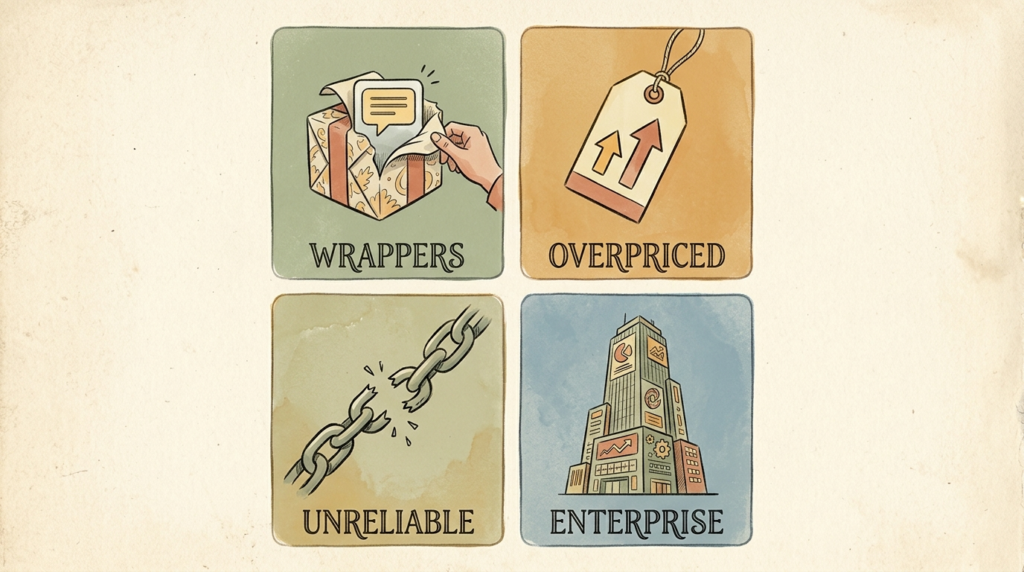
Every “best of” list tells you what to buy. Almost none tell you what to skip. This section is the one that builds the most trust because it shows the work.
ChatGPT Wrappers With No Real Differentiation
There’s a category of tools that are essentially ChatGPT with a different logo, a marketing-flavored prompt template, and a $50/month price tag. I won’t name specific products here because the list changes monthly, but the warning sign is consistent: a tool that promises “AI for [specific niche]” but doesn’t do anything you couldn’t do in ChatGPT yourself with a half-decent prompt is a tool you don’t need. If a product’s entire value proposition is “we wrote the prompts for you,” save your $50.
Tools Priced Like Enterprise Software With No Enterprise Value
Several AI tools in the small business space charge $200 to $500/month for capabilities that ChatGPT Plus delivers for $20. The pitch is usually “built for business” or “enterprise-grade,” but the actual product is a thin layer over the same underlying models. Always ask: what does this tool do that I couldn’t do in a $20 chatbot? If the answer is “better UI” or “nicer templates,” it’s probably not worth the markup.
Tools With Poor Reliability or Support
I tested several tools that worked great in their demos and fell apart under real use: hallucinations on basic queries, broken integrations, support tickets that went unanswered for weeks. I won’t name them publicly because some have improved since I tested them, but the principle stands: if a tool feels unreliable in your first two weeks, it will feel worse three months in. Cut early.
Enterprise-Focused Tools That Fail at Small Business Scale
Some big-name AI platforms are built for 1,000-employee companies and shrink down poorly to small business plans. Salesforce Einstein, for example, is excellent if you’re already on Salesforce at scale, but the small business tier is pricey for what it delivers compared to lighter alternatives. Same with several enterprise customer service AI platforms. If a tool’s pricing page leads with “contact sales,” it’s probably not built for you.
Why I’d Rather Lose Affiliate Revenue
Several of the tools I don’t recommend pay generous affiliate commissions. I’ve been pitched directly. If I were optimizing for short-term revenue, this section would look very different. I’m optimizing for the longer game: readers who trust my recommendations come back, share the site, and convert at higher rates on the tools I do recommend. Honest reviews are the more profitable strategy over time, even if they leave money on the table this month.
How to Choose the Right AI Tools for YOUR Business
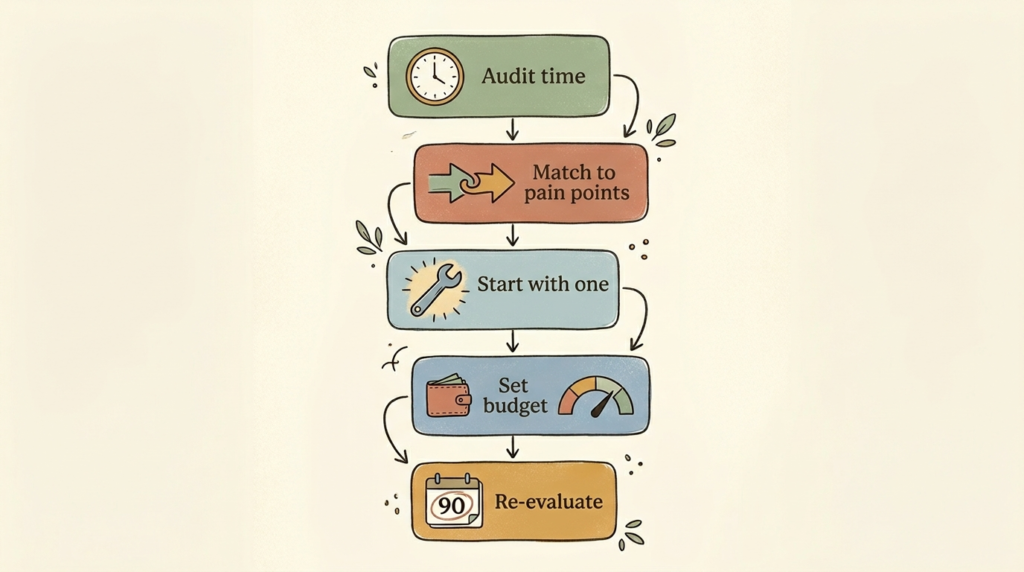
Knowing the tools is one thing. Picking the right ones for your specific business is another. Here’s the framework I use.
Step 1: Audit Your Biggest Time-Wasters
For one week, keep a rough log of where your time goes. Identify the three or four tasks that drain the most of your week. Common offenders: writing emails, creating social content, taking meeting notes, drafting proposals, answering repeat customer questions.
Step 2: Match Tools to Pain Points (Not Features)
For each time-waster, identify the AI tool that directly addresses it. Don’t shop for tools by features. Shop by problems. “I write the same five proposal templates over and over” maps to ChatGPT or Claude. “I lose two hours a week on meeting notes” maps to Otter. “My social media is inconsistent” maps to Buffer plus ChatGPT for caption drafting.
Step 3: Start With One Tool and Master It
The single biggest mistake I see is owners subscribing to four or five tools at once and using none of them seriously. Pick one. Use it daily for two weeks. Get to the point where reaching for it is automatic. Then add the next.
Step 4: Set a Monthly AI Budget and Stick to It
Decide upfront how much you’re willing to spend monthly on AI tools. For most small businesses, that number is between $50 and $150. Anything beyond that should require a clear ROI case (“this tool saves me 10 hours a month, that’s worth $300”) before you sign up. Without a budget, AI subscription creep is real and expensive.
Step 5: Re-Evaluate Every 90 Days
The AI landscape changes faster than almost any other software category. Tools that were leaders 12 months ago aren’t now. Pricing changes. Features change. Once a quarter, sit down and ask: am I still getting value from each tool I’m paying for? If a tool isn’t earning its keep, cut it. The cost of switching tools in this space is minimal compared to other software categories.
The Simple Test
Before adding any tool to your stack, ask: “Will this save me 5+ hours a week or replace a meaningful manual cost?” If yes, try it. If you’re not sure, skip it. The default should be “no” unless the value case is clear.
Frequently Asked Questions About AI Tools for Small Business
Are AI tools worth it for small businesses?
For most small businesses, yes. The starter stack of ChatGPT, Canva, and a transcription tool costs about $50/month and typically saves 5 to 10 hours a week. That’s a strong ROI by almost any measure. The risk isn’t whether AI is worth it; it’s whether you commit to actually using the tools you pay for.
What’s the best free AI tool for small business?
ChatGPT’s free tier. It’s the most versatile, the most capable, and the easiest to start with. Claude’s free tier is a strong second choice and worth using alongside it for longer-form work.
How much should a small business spend on AI tools?
Most small businesses are well-served at $50 to $150/month. Solopreneurs can often run a complete AI stack at $50/month. Small teams often land at $150 to $300. Spending more isn’t inherently better; spending it on the wrong tools is the bigger risk.
Do I need technical skills to use AI tools?
No. Every tool in this guide was specifically chosen because a non-technical owner can use it productively within an hour of signing up. If a tool requires you to read documentation or write code to get value, it doesn’t belong on this list.
Can AI replace employees in my small business?
In small businesses, AI mostly replaces tasks, not people. The owner who used to spend three hours on proposals now spends 30 minutes editing AI drafts and writes more proposals. Same headcount, more output. The framing of “replacing employees” usually overstates the practical reality.
Are AI tools safe for confidential business data?
It depends on the tool and tier. Public free tiers send data to third-party servers and may retain it. For client data, use business or enterprise tiers (ChatGPT Team, Claude for Work, Microsoft Copilot for Microsoft 365), which offer stricter data handling. Never paste personally identifying information into a public AI tool.
What’s the difference between ChatGPT, Claude, and Gemini?
All three are excellent. ChatGPT has the broadest ecosystem and is the most well-known. Claude tends to write more naturally and handles long documents better. Gemini integrates deeply with Google Workspace, which matters if your business runs on Gmail and Docs. You don’t need all three. Pick one, use it for a month, then maybe sample another.
How often should I update my AI tool stack?
Re-evaluate every 90 days. The AI space moves fast enough that tools shift in capability, pricing, and quality on a quarterly basis. A 30-minute review every three months is enough to keep your stack current without becoming a full-time job.
Conclusion: Pick Three Tools and Start
Here’s my honest take after working through more than 30 tools: most small businesses don’t need 15 AI tools. They need 3 or 4 (the right ones) used consistently.
If I had to pick just three tools for a small business owner starting from zero, I’d go with: ChatGPT Plus ($20/month) for writing and brainstorming, Canva Pro ($15/month) for design, and Zapier (free tier or $20/month) for automation. That’s $35 to $55/month, and it’ll save most business owners 10+ hours per week. The ROI is obvious.
Everything else in this guide is upgrades from there: useful when you have specific needs, but not essentials.
Don’t let “AI overwhelm” stop you from getting started. The biggest mistake I see small business owners make isn’t picking the wrong tool. It’s not picking any tool. The second-biggest mistake is subscribing to ten tools and using none of them seriously.
Pick one. Use it for two weeks. Then add another. That’s the entire game.
Want my updated AI tool recommendations delivered every Friday? Subscribe to the No Fluff AI Tools newsletter. I update this list every quarter and share new tools worth trying.
If you’re brand new to AI and want a step-by-step starter guide, check out my full How to Use AI for Small Business post next. It walks you through exactly how to integrate these tools into your daily workflow.
Got a tool you love that I missed? Hit me up on the contact page. I’m always testing new ones for the next quarterly update.
Last Updated: May 2026