7 Small Business AI Mistakes That Are Costing You Time and Money (2026)
Last Updated: May 2026
Confession time: when I first started using AI tools for my own business, I made every small business AI mistake on this list. Some of them twice. One of them I made for almost three months before I figured out what I was doing wrong, and it cost me probably 40 hours of work I could have spent on something useful.
Here’s the thing about AI for small business: the technology is finally accessible, but the wisdom of how to actually use it isn’t. Every week I talk to small business owners who are excited about AI but stuck in one of the same handful of traps. They subscribed to ChatGPT Plus and used it twice. They bought Jasper but never trained it on their voice. They tried to automate everything at once and ended up trusting nothing.
The mistakes aren’t because these owners are doing something wrong. They’re because almost nobody is teaching the unglamorous parts of using AI well, the parts that don’t make for viral LinkedIn posts but actually determine whether AI saves you time or costs you sanity.
This article fixes that. Below are the 7 biggest small business AI mistakes I see owners make over and over, what they actually cost you, and exactly how to fix each one. No theoretical advice. No “AI thought leadership.” Just the real traps and the real ways out.
Whether you’re brand new to AI or you’ve been using ChatGPT daily for a year, I’d bet money you’re making at least 2 of these. Let’s fix that.
Why Small Businesses Get AI Wrong (Even Smart Ones)
First, a quick frame: making small business AI mistakes is not a sign that you’re bad at AI. It’s a sign that you’re actually using it. The owners I worry about aren’t the ones making mistakes; they’re the ones who tried AI once, got a mediocre result, and decided AI wasn’t for them.
Why are these mistakes so common? Three reasons. First, AI moved from “novelty” to “essential” faster than learning curves could keep up. The tools went mainstream in roughly 24 months. That’s not enough time for collective wisdom to develop.
Second, most AI advice online is written for developers (full of jargon you don’t need) or hype merchants (lots of promises, zero practical steps). Neither helps a small business owner trying to make AI actually work. If you’re a beginner who needs the basics first,
Third, AI rewards consistency and punishes dabbling. Most owners try AI for a week, stop for a month, try again for two days, and conclude it doesn’t work for them. The owners who do well treat AI like a daily tool, not a weekend experiment.
The good news: every mistake on this list is fixable in under a week. None of them are catastrophic. Most of them are exactly the same mistakes I made when I started, and the same mistakes I see other owners making right now. You’re in good company.
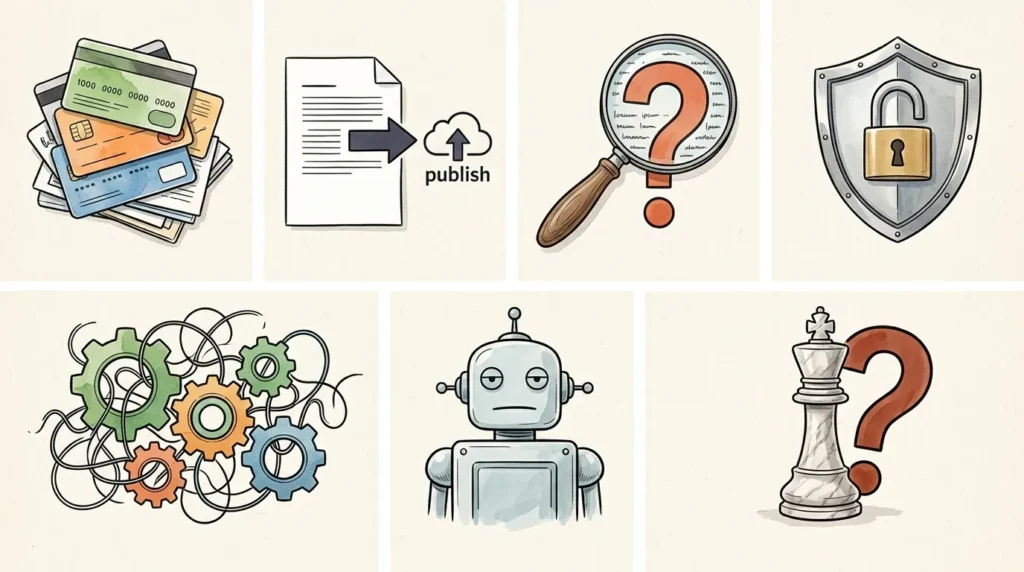
Mistake #1: Subscribing to Too Many AI Tools at Once
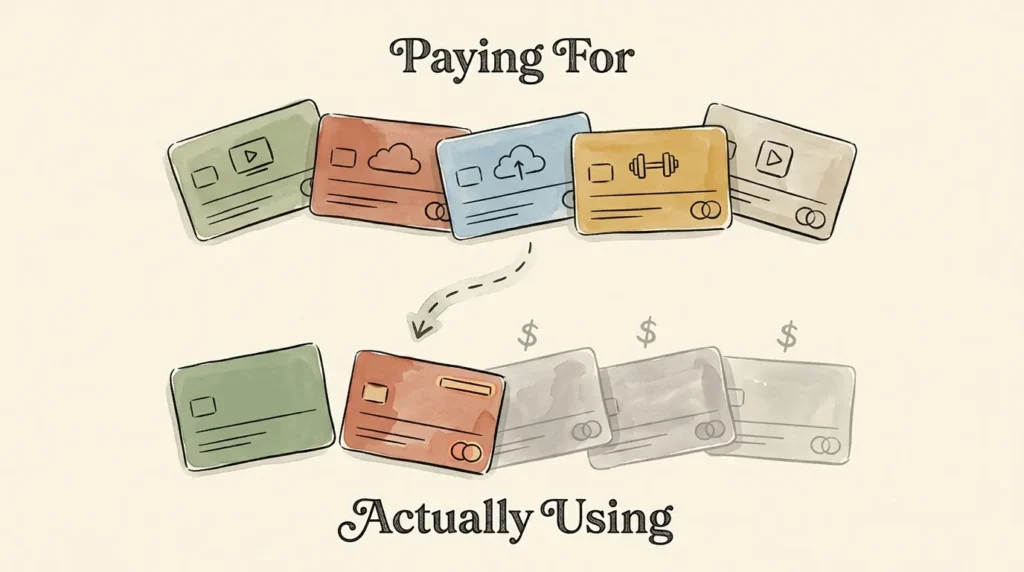
This is the most common small business AI mistake I see, and it’s the easiest to make because every AI tool sounds incredible in its marketing. ChatGPT for everything! Jasper for content! Notion AI for organization! Otter for meetings! Within 60 days, the average AI-curious small business owner is paying $300 to $400/month for a stack of tools they barely use.
The Real Cost
Most small business owners use less than 30% of the AI tools they pay for. The financial waste is real (think $200+/month going down the drain), but the bigger cost is the “I’m overwhelmed” paralysis that makes you use NONE of them well. Every tool has its own interface, its own quirks, its own learning curve. Stack five of them and you’re in cognitive debt before you start working.
Real Example
A solo consultant I work with was paying for ChatGPT Plus, Claude Pro, Jasper, Notion AI, Surfer SEO, and Otter Premium. Total: about $250/month. When she audited her actual usage, she’d used ChatGPT regularly, Otter occasionally, and the other four tools fewer than 5 times each in the past 90 days. She cut four subscriptions, saved $130/month, and her productivity actually went up because she stopped fragmenting her attention across nine interfaces.
The Fix
Master ONE tool before adding another. The 80/20 rule applied to AI: most small businesses get 80% of their value from 2 to 3 tools used deeply. Pick one (probably ChatGPT or Claude), use it daily for 30 days, then add the next.
A simple audit: list every AI subscription you have. For each one, ask: “Have I used this tool in the past 30 days?” If the answer is no, cancel it. You can always re-subscribe later. Most people don’t.
When adding tools, the rule is: 2 weeks minimum mastery before adding the next. If you’re still figuring out how to use ChatGPT properly, this is a bad week to start using Jasper too.
Mistake #2: Using AI Output Without Editing or Personalizing
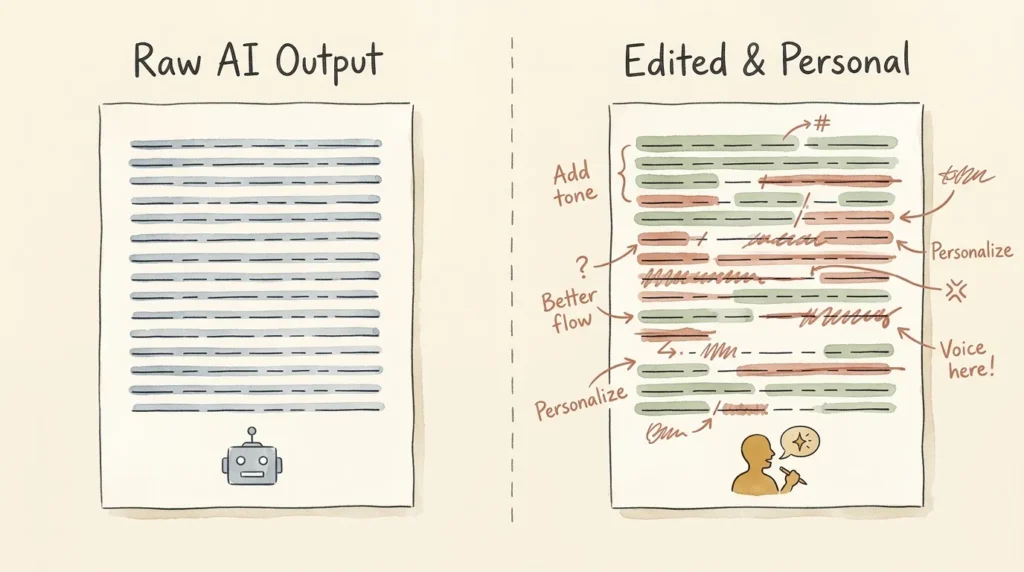
Raw, unedited AI content sounds like raw, unedited AI content. Audiences can tell. Google can tell. Your customers can tell. And yet, this is one of the most frequent small business AI mistakes because the temptation to just hit publish is real when you’re busy.
The Real Cost
Three costs stack up. First, brand voice damage: your content stops sounding like you and starts sounding like every other AI-generated blog. Second, search ranking risk: Google’s helpful content updates increasingly target thin, generic AI content. There are documented cases of small businesses losing 50 to 70% of their organic traffic after publishing unedited AI content at volume. Third, customer trust erosion: your audience came to you for your perspective. When that perspective gets replaced by averaged-out AI output, they notice.
Real Example
A small business blog I follow published 30 AI-generated posts over three months without meaningful editing. Three months later, their organic traffic dropped 60%. They had to remove or substantially rewrite 25 of those 30 posts to recover. The cleanup took longer than writing original content would have in the first place.
The Fix
Treat AI output as a first draft, never a finished product. The minimum acceptable edit time is 5 minutes per piece. The right edit time is closer to 50% of the time the AI saved you.
Specific edits that matter most: rewrite the opening sentence in your own voice (this is where AI sounds most generic), add at least one specific personal example or detail, cut hedge phrases like “it’s important to note” and “in today’s fast-paced world,” and check that the personality matches what your audience expects from you.
A simple test before publishing: would I be embarrassed if a competitor saw this exact text and thought “that looks AI-written”? If the answer is yes, edit more.
Mistake #3: Trusting AI Without Fact-Checking
AI tools confidently make things up. This is called “hallucination,” and it’s one of the most dangerous small business AI mistakes because the wrong information sounds exactly as confident as the right information. ChatGPT will cite sources that don’t exist. It will quote people who never said the thing. It will state statistics that look plausible but are completely fabricated.
The Real Cost
Legal liability if you publish false claims about products or services. Customer trust loss when readers discover errors. Reputation damage that’s hard to recover. In regulated industries (medical, legal, financial), the consequences can include actual fines or licensure issues.
Real Example
A small ecommerce business asked ChatGPT to write product descriptions for their kitchenware line. The descriptions included specific dishwasher and microwave-safe specs that ChatGPT had simply made up. The descriptions went live. Customers used the products as described. Some products got damaged. The business issued refunds, rewrote 40+ descriptions, and updated their listing process to never publish product specs without manual verification.
The Fix
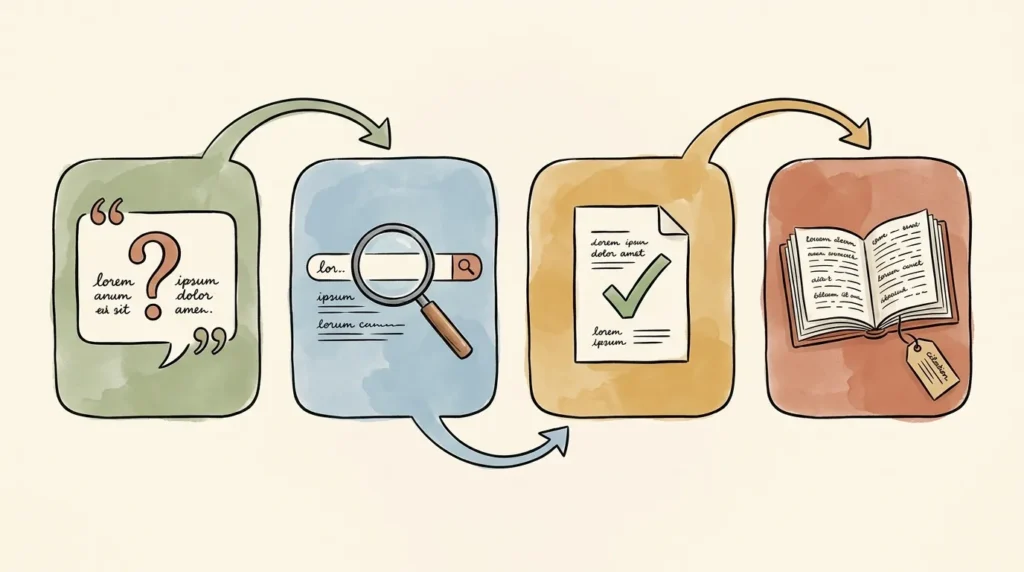
Verify ANY specific fact, statistic, quote, or citation before publishing. The simple workflow: claim → search to verify → confirm with original source → cite that source instead of trusting AI.
High-risk content categories where fact-checking is non-negotiable: medical claims, legal advice, financial guidance, statistical assertions, historical events, scientific findings, and anything involving specific product specifications. For these, treat AI as a starting outline only.
Lower-risk content where AI is reliable: structural elements (outlines, transitions), general explanations of concepts, brainstorming, summarizing documents you provided yourself. Even here, it’s worth a quick read-through, but you don’t need to verify every line.
Mistake #4: Ignoring AI Privacy and Data Security
This is the most legally and financially serious small business AI mistake on this list. It’s also the one that’s easiest to make accidentally because the consequences are usually invisible until they aren’t.
What Actually Happens to Your Data
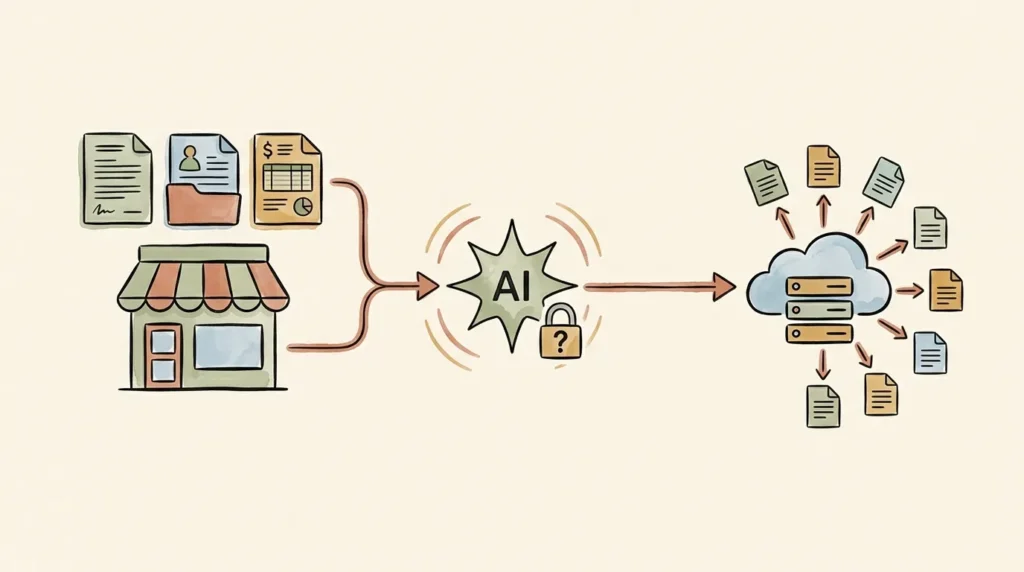
When you paste content into a free AI tool, that content travels to the provider’s servers, gets processed, and (depending on settings) may be retained, used to train future models, or accessible to the provider’s staff for review. Free tiers of ChatGPT, Claude, and Gemini all have varying default settings on this, and most users never read them. Many small business owners are sharing client information they don’t realize they’re sharing.
The Real Cost
Legal liability under industry regulations (HIPAA for healthcare, GDPR for EU residents, CCPA for California residents, GLBA for financial). Regulatory fines can reach 4% of annual revenue under GDPR. Broken NDAs and client relationships if confidential information is mishandled. Insurance and contract violations that can expose you to lawsuits.
Real Example
A consultant I know pasted three client contracts into ChatGPT free tier to summarize them and extract action items. Those contracts contained NDA clauses prohibiting third-party processing of the documents. The clients found out (one of them noticed because their company has a policy of monitoring AI tool usage). The consultant lost two client relationships and had to engage a lawyer to address the NDA violations. Total damage: tens of thousands of dollars in lost revenue plus legal fees.
The Fix
Read each tool’s data policy BEFORE you start using it for client work. Adjust the training opt-out settings (most tools have them, but they’re off by default). For sensitive client work, use business or enterprise tiers, which don’t train on your inputs by default and offer stricter data handling.
Privacy-focused alternatives:
- Claude (Anthropic) has historically taken a more conservative posture on training data.
- ChatGPT Team or Enterprise (~$25-30/user/month) doesn’t train on your inputs by default.
- Microsoft Copilot for Microsoft 365 keeps your data inside your organizational tenant.
- On-premise or self-hosted models for maximum control (more setup, but data never leaves your infrastructure).
A Simple Privacy Checklist
- Read the tool’s privacy policy before pasting client data.
- Turn off training settings if available (it’s opt-in on Plus, but not always default-off on free).
- Use business or enterprise tiers for any work involving client information.
- Anonymize data before pasting (“Client A” instead of real names, redact specifics).
- Never paste passwords, full payment card details, government IDs, or login credentials into ANY AI tool.
- Check your client contracts and NDAs for AI processing clauses before pasting their work.
- Document your AI usage policies, even as a one-page internal note.
If your business handles regulated data (HIPAA, GDPR, CCPA) and you’re unsure about compliance, talk to a lawyer or compliance professional before connecting AI to client information. The cost of a 30-minute consultation is much less than the cost of a regulatory violation.
Mistake #5: Trying to Automate Everything Before You Understand the Process
This is one of the most expensive small business AI mistakes because it produces fragile, broken systems that you then have to spend hours debugging. “Automate first, think later” doesn’t work because you can’t automate something you don’t understand.
The Prerequisite
Before automating any task, you must do it manually 5+ times. Why? Because the manual versions surface the edge cases, the exceptions, and the judgment calls that automation needs to handle. If you automate before you’ve done the work yourself, you’re building a workflow on assumptions.
Real Example
A solopreneur I know decided to automate her client onboarding process before she’d ever onboarded a client. She built an elaborate Zapier workflow: form fill triggers email sequence triggers calendar invite triggers Notion project setup triggers Slack notification. It looked impressive. The first time a real client came through, the workflow broke at step 3 because real people don’t fill out forms the way you imagine they will. By the time she debugged it, she’d spent more time fixing the automation than she would have spent doing the onboarding manually for her first 10 clients.
The Fix
Document your manual process before automating any of it. Write down every step. Note where you make judgment calls. Note where things tend to go wrong. Now you have a real map. NOW you can automate.
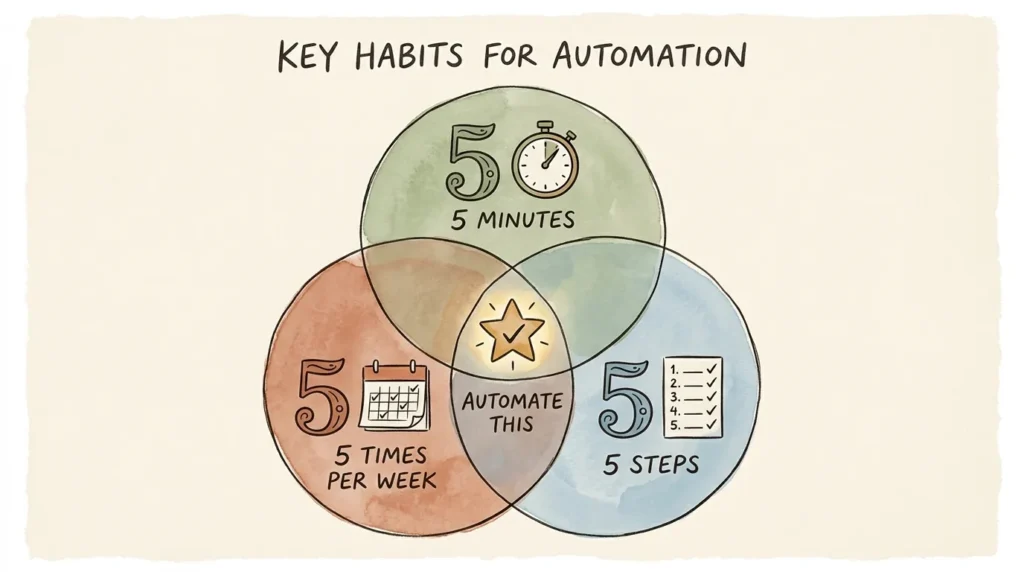
Apply the 5-5-5 rule for choosing automation candidates: tasks that take 5+ minutes each time, happen 5+ times per week, and follow 5+ predictable steps. If a task hits all three, it’s a strong automation candidate. If it hits two, maybe. If it only hits one, leave it alone.
Some tasks should NEVER be automated: relationship work (sensitive client conversations, sales calls), judgment calls (hiring decisions, strategic pivots), and anything emotional or political within your team. Automating these is automating away the parts of your business that need to stay human.
Pilot-Test Before Going Live
When you do build an automation, run it in test mode for at least a week before activating it. Use real data. Watch where it breaks. Fix the breaks. Then activate. The owners who lose hours to broken automations are the ones who skip this step.
Mistake #6: Not Training AI on Your Brand Voice
Default AI writing sounds generic across every business that uses it. That’s the “ChatGPT voice” problem: dozens of small businesses publishing content that’s indistinguishable from each other because they’re all using the same default prompts on the same models. This is one of the small business AI mistakes that’s easy to overlook because the output looks fine in isolation; you only notice it when you compare across competitors.
The Real Cost
Lost differentiation. Your unique perspective is your competitive moat. When you let AI flatten that into something average, you’re erasing your edge. Conversion rates on generic AI content also tend to be lower because audiences feel less connected to it. Brand identity weakens over time as your content drifts toward sameness.
Real Example
A boutique B2B consulting firm I follow published 12 AI-drafted blog posts over a quarter without voice training. A reader emailed them to ask if they’d outsourced their content to a generic agency, because the posts had stopped sounding like the personal, opinionated, slightly contrarian writing the firm was known for. The firm rolled back the unedited posts, set up custom instructions, and rewrote everything with brand voice training. Reader engagement returned to baseline within two months.
The Fix
Train AI on YOUR voice using Custom Instructions and writing samples. The process takes 30 minutes once and pays off forever.
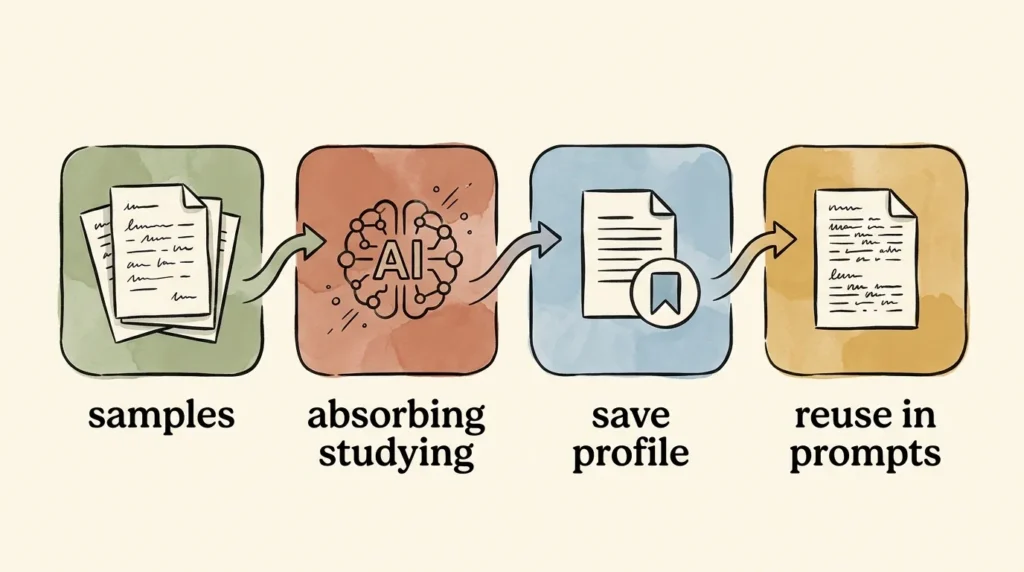
Step 1: Paste 3 to 5 samples of your best past writing into ChatGPT or Claude with this prompt: “Study these samples carefully. Identify the specific patterns: tone, sentence length, word choice, common phrases, what I avoid. Summarize my voice in a single paragraph I can paste into future prompts.”
Step 2: Save the resulting voice paragraph. This is your reusable voice profile.
Step 3: In ChatGPT, set up Custom Instructions and the About You section permanently. Paste your voice profile and business context there. Now every conversation starts pre-loaded with your voice.
Step 4: For ongoing brand-critical content, build a Custom GPT (Plus tier) trained specifically on your business. Output quality on brand-aligned content jumps dramatically once you’ve done this.
The result: instead of every prompt producing average-sounding output, your prompts produce content that genuinely sounds like you. The AI becomes an amplifier of your voice rather than a replacement for it.
Mistake #7: Treating AI as a Replacement for Strategy and Judgment
This is the most subtle and most expensive small business AI mistake. AI is great at execution. AI is bad at strategy. The owners who get this wrong start using AI as a decision-maker rather than a tool, and the consequences compound silently for months before becoming visible.
The Real Cost
Misguided decisions. Generic positioning that doesn’t differentiate. Strategies copied from a hundred other businesses because the AI is averaging across them. Lost competitive edge as your business starts looking and sounding like every other business that asked AI the same questions.
Real Example
A direct-to-consumer brand asked ChatGPT to suggest product positioning for their new launch. The AI gave them solid, generic advice: emphasize quality, target the millennial wellness market, lean into sustainability messaging. The brand executed exactly that. So did 50 of their competitors who asked the same question. Six months later, the brand realized they’d lost the differentiation that originally made them interesting. They had to do a full positioning reset.
The Fix
Use AI for execution, not for strategic decision-making. The right framework: AI is a junior team member, not a CEO.
What AI is great at: drafting content based on YOUR strategy, summarizing research YOU did, brainstorming options for YOU to evaluate, repetitive tasks that follow YOUR rules. The common thread: you bring the judgment; AI executes.
What AI is bad at: deciding what your business should focus on, choosing your positioning, evaluating tradeoffs that depend on context only you have, judging whether a customer relationship is worth saving, deciding when to break your own rules.
How to Use AI to Support Your Judgment Without Replacing It
The technique: explain your situation in detail, give AI multiple roles to play, and use the output to stress-test your thinking, not to make the decision. “Give me the case for raising my rates.” “Now give me the case against.” “What’s a third option I haven’t considered?” “Act as a skeptical advisor and tell me what I’m missing.”
AI surfaces angles you didn’t see. AI doesn’t make the call. You make the call, with better information.
How to Recover If You’re Already Making These Mistakes
If you read this list and saw yourself in three or four of the mistakes, you’re not alone, and you’re not in trouble. Here’s a 30-day reset that fixes the worst damage and rebuilds a healthier AI practice.
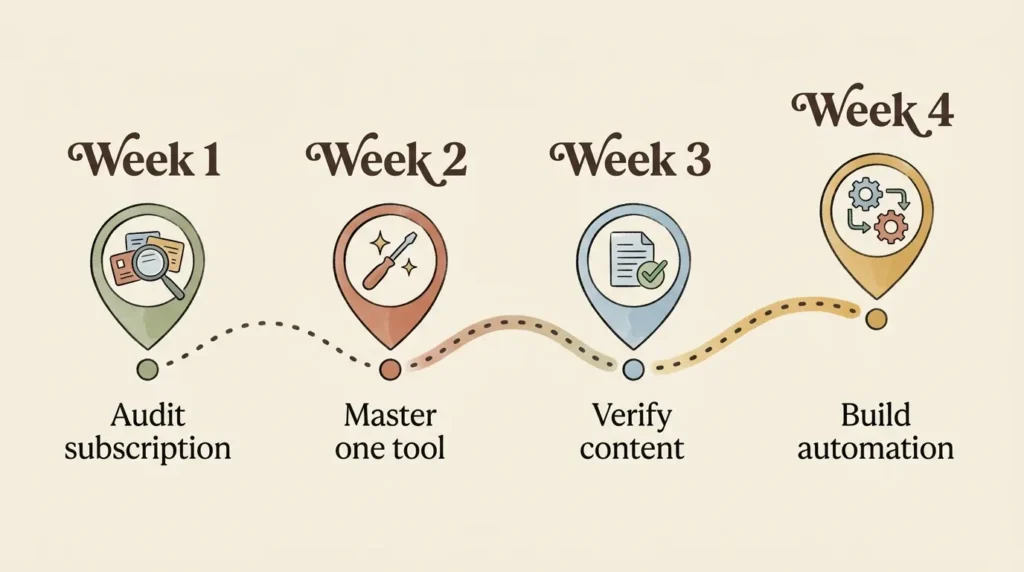
Week 1: Audit Your AI Tool Stack
List every AI subscription. Mark which ones you’ve used in the past 30 days. Cancel everything you haven’t used. Don’t talk yourself into keeping a tool because you “might use it.” If you haven’t used it in a month, you won’t. Save the money.
Week 2: Fix Your Strongest Tool
Pick the one tool you actually use (probably ChatGPT or Claude). Set up Custom Instructions properly. Build a voice profile. Make this tool work the way it’s supposed to work. The compounding return on getting one tool right is bigger than spreading effort across three.
Week 3: Verify and Fact-Check
Audit any AI-generated content you’ve published in the past 90 days. Check facts, statistics, and citations. Fix or remove anything wrong. This is unglamorous work, but it’s the work that protects your reputation. Better to do it now than to be caught off-guard later.
Week 4: Build ONE Good Automation
Document one core process you do regularly. Then build a single automation that handles it well. Don’t build six. Don’t build elaborate. Build one that works. Get the rhythm of automation right with a small win before scaling up.
The Monthly Maintenance Routine
Block 30 minutes on the last Friday of every month for an AI check-in. Audit your tools. Review your workflows. Update your voice profile if your brand has shifted. Cancel anything you’re not using. This 30 minutes keeps you from sliding back into the same small business AI mistakes you just fixed.
The Mindset Shift That Prevents Future AI Mistakes
Most small business AI mistakes come from the same root cause: rushing or overconfidence. The AI was new and exciting; you wanted to use it everywhere. Some of it worked, so you assumed all of it would work. Then it didn’t.
The “Smart But New Employee” Framework
The mental model that prevents nearly every mistake on this list: AI is a smart but new employee. You wouldn’t hand a brand new hire your client contracts and tell them to summarize and send. You wouldn’t let them pick your business positioning. You wouldn’t publish their first draft without editing. You wouldn’t trust their facts without checking. AI deserves the same treatment.
Treat it that way and you’ll naturally avoid most of the traps. Forget that frame and you’ll fall into them again.
Habits Beat Tool Stacks
The owners who succeed with AI long-term aren’t the ones with the most tools. They’re the ones with the best habits. Daily use of one tool, well, beats sporadic use of five. Slow, deliberate adoption beats fast, scattered adoption every time.
The Compound Effect
Small advantages compound. The owner who sets up Custom Instructions properly today gets slightly better output every day for the next year. The owner who builds one good automation this month saves an hour a week for years. The owner who audits their tool stack quarterly avoids the slow drip of subscription bloat. None of these moves are flashy. All of them compound.
The Single Best Question to Ask Before Adopting Any New AI Tool
“Will this save me 5+ hours a week, or am I just impressed by the demo?” Be brutally honest. The answer is usually “impressed by the demo.” That’s the one to skip.
Frequently Asked Questions About Small Business AI Mistakes
What’s the most expensive AI mistake small businesses make?
The privacy mistake (Mistake #4). The financial costs of regulatory violations, broken NDAs, or compromised client data far exceed any other mistake on this list. If you only fix one mistake from this article, fix that one.
Can I really get penalized by Google for using AI content?
Yes, indirectly. Google penalizes low-quality, thin, or unhelpful content, and unedited AI output frequently fits that description. Google has stated that AI-assisted content isn’t penalized in itself, but content that’s clearly machine-generated and adds no unique value gets devalued. The fix is editing, not avoiding AI.
Is it safe to put my business data into ChatGPT?
Depends on the tier and the data. Free tier: not safe for client information or sensitive data. Plus tier: safer, but training is opt-in by default in some configurations. Team or Enterprise tier: doesn’t train on your data by default. For regulated industries, business or enterprise tiers are usually the right choice.
How do I know if I’m using AI well or poorly?
A simple test: are you saving real time, or just feeling productive? If you’re using AI 30 minutes a day and saving 2 to 3 hours a week, you’re using it well. If you’re using AI 30 minutes a day and your output hasn’t increased, you’re probably making one or more of the mistakes in this article.
What’s the right number of AI tools for a small business?
Two or three, used deeply. The starter stack for most small businesses: ChatGPT or Claude (foundation), Canva (visuals), and one automation tool like Zapier. Anything beyond that should require a clear pain point that the foundation doesn’t solve.
How long should I test an AI tool before deciding if it’s worth it?
Two to four weeks of consistent daily use. Anything less and you haven’t actually learned the tool yet. Most AI tools feel underwhelming for the first week and meaningfully more useful by week three, once your prompts and workflows have improved.
Can I undo damage from past AI mistakes?
Mostly yes. Privacy mistakes are the hardest to undo (you can’t un-share data), but you can stop ongoing exposure by upgrading tiers and changing settings. Content quality mistakes are fixable by removing or rewriting. Tool subscription waste is fixable by canceling. Strategy mistakes are fixable by re-evaluating, even though you may have lost time.
How do I know when AI is the wrong tool for the job?
When the task requires real judgment, real relationships, or real emotional intelligence, AI is the wrong tool. When the task is repetitive, structured, or rules-based, AI is usually a good fit. When in doubt, do the task manually first; if you can articulate exactly what you’re doing, AI can probably help. If you can’t, AI definitely can’t.
Conclusion: Pick One Mistake and Fix It This Week
Here’s the truth about AI for small business: the tools aren’t what determine whether you succeed or fail with AI. Your habits and decisions are.
Every small business AI mistake on this list is preventable. Every one of them is fixable. And honestly, every one of them is something I’ve personally made or watched a small business owner make in the last six months. You’re not alone if you’re making 2, 3, or even all 7 of these. You just need to start fixing them.
If you take one action from this article, let it be this: pick the ONE mistake on this list that hits closest to home and commit to fixing it this week. Don’t try to fix all 7 at once. Don’t try to overhaul your entire AI stack overnight. Just pick the biggest leak and patch it.
The small business owners who succeed with AI in 2026 and beyond won’t be the ones with the most tools or the fanciest workflows. They’ll be the ones who avoided the predictable mistakes, the same mistakes I just walked you through.
AI is genuinely the biggest leverage tool small business owners have ever had access to. Don’t waste it on these traps.
Want practical AI advice and honest tool reviews delivered every Friday? Subscribe to the No Fluff AI Tools newsletter. I share the lessons I’m learning so you don’t have to make the same expensive mistakes I did.
Ready to start using AI the right way? Check out our Best AI Tools for Small Business in for honest reviews of every tool worth recommending. And if you’re brand new to AI, our How to Use AI for Small Business guide is the perfect place to start.
Last Updated: May 2026
The form you have selected does not exist.