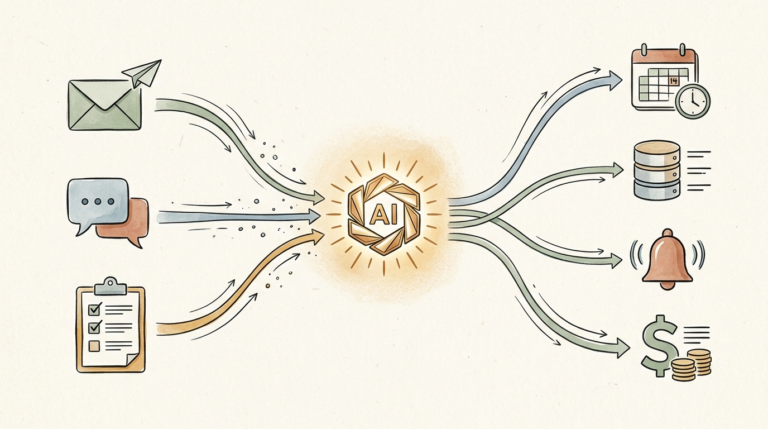
10 Ways AI for Solopreneurs Can Save 10+ Hours Per Week (2026 Guide)
Last Updated: May 2026
Let’s be real for a second: being a solopreneur is a beautiful, exhausting hustle. You’re the CEO, the marketing department, the customer service rep, the accountant, and the IT person, usually all before lunch. There’s no team to delegate to. Just you, your laptop, and a to-do list that somehow grows every day.
Here’s a stat that surprised me: the average solopreneur works 52 hours per week, but only spends about 30% of that time on actual revenue-generating work. The rest? Admin, email, social media, scheduling, content. AI changes the math.
I’ve spent the last several months figuring out exactly where AI fits into a solopreneur’s workflow, what saves real time, what’s just hype, and what’s worth the monthly cost. The result is the 10 strategies below. Each one is tested. Each one saves at least an hour a week. Stack them, and 10+ hours back every week is realistic.
That’s an extra full work day every week. Imagine what you could do with that. Let’s get into it.
Why Solopreneurs Need AI More Than Anyone Else
Most business advice assumes you have a team. “Delegate that.” “Have your VA handle it.” Cool advice, except solopreneurs don’t have any of those things. You are the team.
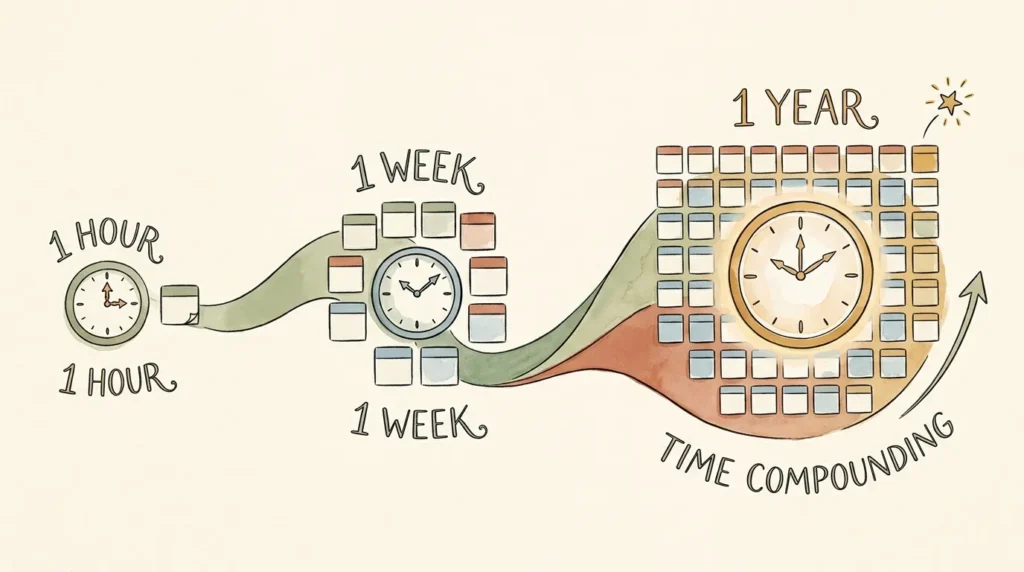
That’s exactly why AI hits different for solopreneurs than it does for bigger companies. A 50-person company adopting AI gets a productivity bump. A solo operator adopting AI gets, effectively, a part-time staff. The leverage ratio is wildly different. One hour saved per day equals 250+ hours per year, or six full work weeks of your life back, every year, from a single workflow improvement.
Quick reality check: AI is excellent at first drafts, summarization, repetitive admin, classification, and brainstorming. AI is bad at strategic judgment, deeply personal client work, and most things involving real-time human connection. The strategies below all play to AI’s strengths. Your judgment, voice, and relationships stay yours.
1. Use AI to Draft and Respond to Emails (Save 5 to 7 Hours/Week)
Email is the single biggest time tax on solopreneurs. The average solo operator spends 2 to 3 hours a day on email, which works out to roughly 15 hours a week. AI can claw back the majority of that.
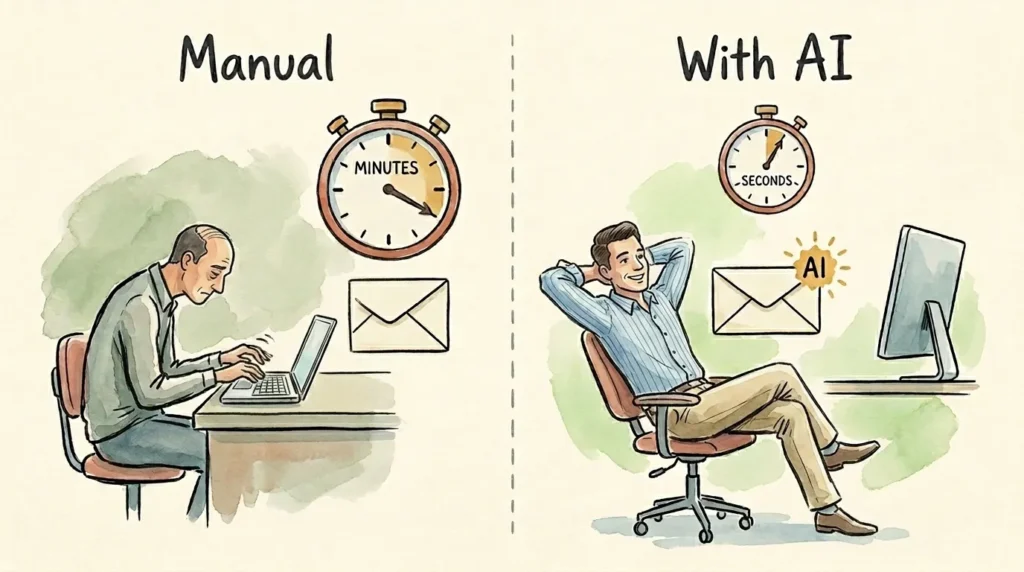
The basic move: instead of writing emails from scratch, paste the context (the email you’re responding to, plus a one-line note about what you want to say) into ChatGPT or Claude and ask for a first draft. You edit, send. What used to take 8 minutes per email now takes 90 seconds.
Plug-and-play prompt: “You’re my email assistant. I write in a warm, direct, slightly informal tone. Here’s the email I received: [paste]. Here’s what I want to say: [one-line note]. Draft a reply in my voice, 100 to 150 words.” Tweak the tone description to match yours and you have a reusable prompt for every email.
Tools to consider: ChatGPT (free or Plus), Claude (free or Pro), Superhuman AI, or Gmail’s native AI features. Don’t overengineer it. Keep ChatGPT or Claude open in a browser tab and paste emails through.
2. Automate Social Media Content Creation (Save 3 to 5 Hours/Week)
Posting consistently as a solo operator is brutal. You either skip it (and watch your reach die) or grind out content (and watch your week die). AI is genuinely transformative here because content creation is exactly the kind of repetitive, structured task it excels at.
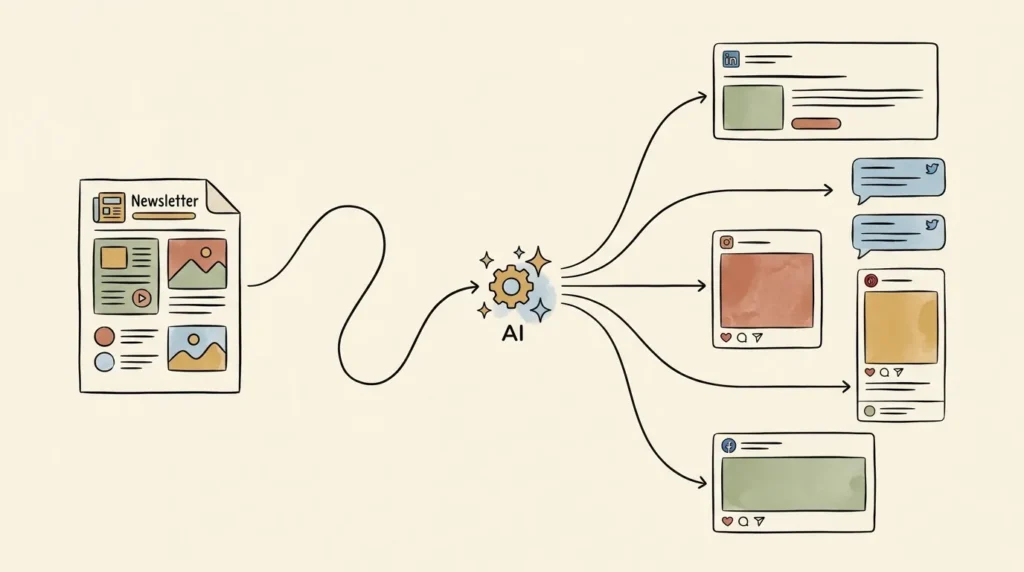
The workflow: take one source piece of content (a blog post, podcast transcript, or rough notes from your week) and ask AI to generate platform-specific variations: a LinkedIn post, three tweets, an Instagram caption, a Pinterest pin description. You review, tweak, and schedule the whole batch in Buffer or Later. Done.
Real example: Marcus, a freelance financial coach, used to spend Sunday afternoons writing social posts. About 4 hours, every week. He now blocks 30 minutes Sunday morning, runs his weekly newsletter through ChatGPT to generate posts for LinkedIn, X, and Instagram, schedules them in Buffer, and finishes before his coffee gets cold.
Tools to consider: ChatGPT or Claude for the writing, Canva Pro for the visuals, Buffer for the scheduling. That stack runs about $35 to $50/month combined.
Try Canva Pro
Try Buffer
3. Let AI Handle Meeting Notes and Action Items (Save 2 to 3 Hours/Week)
If you take 5+ client calls a week, you’re losing real time to meeting notes. The hidden cost isn’t just the note-taking; it’s the half-listening you do during the call because you’re trying to type and listen at the same time.
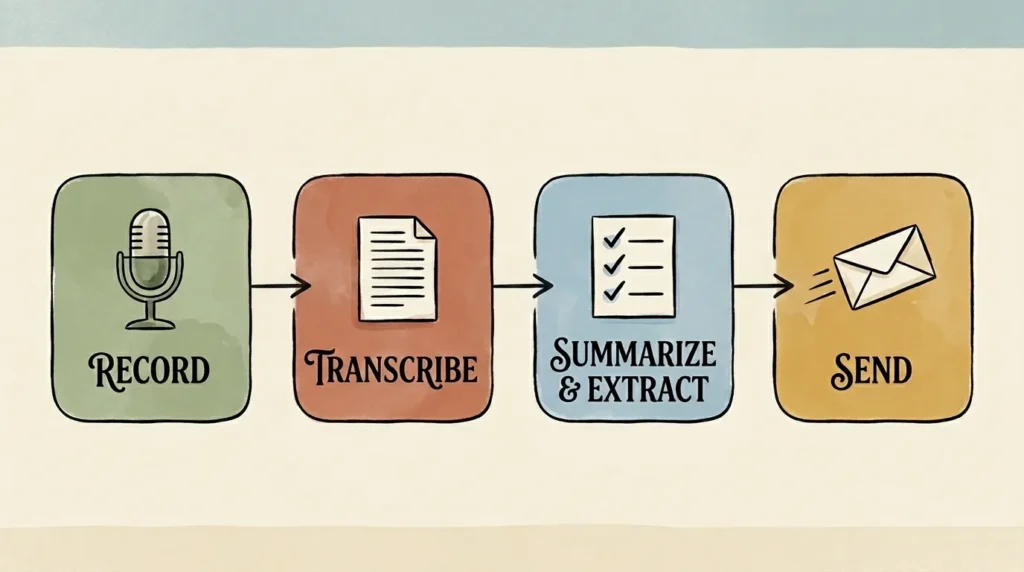
Tools like Otter, Fireflies, and Fathom join your Zoom or Google Meet calls automatically, transcribe everything, and produce a clean summary with action items within two minutes of the call ending. You stop taking notes during calls entirely. You become more present, your notes get better, and you save 15 to 30 minutes per meeting.
Privacy note: always disclose recording at the start of any call. Don’t record sensitive personal conversations or anything covered by industry regulations (HIPAA, attorney-client privilege) without verifying compliance. Otter, Fireflies, and Fathom all have business tiers with stricter data handling for these cases.
Try Otter.ai
4. Use AI to Speed Up Content Creation (Save 4 to 6 Hours/Week)
If you market your business through content, content creation is probably eating more of your week than any other single task. AI doesn’t replace the work, but it cuts the time roughly in half for almost every piece.
The right way to use AI for content: have it produce the outline and the rough first draft, then bring your voice and judgment to the editing. AI handles the structural work. You handle the parts that actually make the content yours. For headline brainstorming, try “Give me 15 blog post titles in the style of [your favorite writer or publication], on the broad theme of [your topic]. Vary the angles: some how-to, some curiosity-driven, some contrarian.” Somewhere around #10 to #12 you’ll usually find one that genuinely makes you want to write it.
Honest limit: AI cannot write your unique perspective. If your competitive advantage is your voice and point of view, AI is an accelerator for the surrounding work, not a replacement for the core. Use AI for structure, drafts, and repurposing. Keep the original thinking yours.
Tools to consider: ChatGPT Plus or Claude Pro for the heavy writing. Surfer SEO if you publish for Google search. Jasper if you’re running a real content marketing operation.
Try Jasper
Try Surfer SEO
5. Build AI-Powered Customer Support Without Hiring Anyone (Save 3 to 5 Hours/Week)
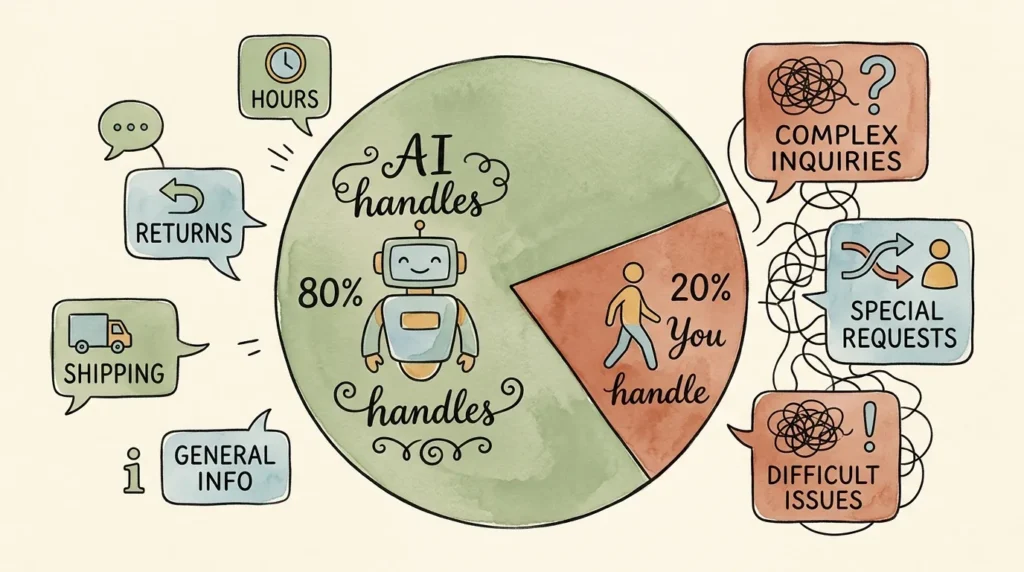
Customers expect responsive support, but you can’t be online 24/7, and 80% of the questions you get are basically the same questions on repeat. AI chatbots solve both halves of that problem.
Tools like Tidio and Intercom Fin let you set up an AI chatbot in under an hour, no developer required. You feed it your FAQs, store policies, and product info, and it answers customer questions automatically. When the bot can’t confidently answer, it escalates to you with full context. Most solopreneurs find that 70 to 80% of incoming questions get fully resolved by AI without ever needing their attention.
When AI support works: transactional questions like hours, returns, shipping, basic troubleshooting. When it doesn’t: complex multi-issue cases, emotionally charged complaints, anything requiring genuine empathy or judgment. The right framing is “human-supervised AI,” not “set and forget.”
Try Tidio
6. Automate Lead Generation and Follow-Up Sequences (Save 3 to 4 Hours/Week)
Solopreneurs lose more revenue to dropped follow-ups than to anything else. A lead comes in. You’re busy. You forget to respond for three days. By the time you reach out, they’ve hired someone else. AI fixes this.
Set up your lead form (Typeform, Tally, or Google Form) to collect basic qualification info: budget, timeline, project type. Connect it via Zapier to ChatGPT, which scores the lead, summarizes the relevant context, and either drafts a personalized hot-lead response or routes cold leads into a nurture sequence automatically. You wake up to a clean queue of qualified leads instead of raw form submissions.
On AI-personalized cold outreach: it’s technically possible and increasingly common, but be careful. Mass-AI-generated outreach is detectable and damages your brand. The line: AI to research and personalize, you to write the actual sent message. Anything that sends 100 “personal” messages a day will get you flagged.
Tools to consider: ConvertKit, MailerLite, or ActiveCampaign for the email sequences. Zapier to tie everything together.
Try MailerLite
7. Use AI for Bookkeeping, Invoicing, and Financial Admin (Save 2 to 3 Hours/Week)
Receipts pile up, invoices get sent late, bookkeeping never gets touched until tax season. AI handles the boring 80% of this work essentially for free.
Modern bookkeeping software (QuickBooks, Xero, Wave) uses AI to read receipt photos, extract the vendor, amount, and date, and auto-categorize the expense. Add a receipt scanner like Dext or Hubdoc and you can email any receipt to a dedicated address and have it appear, fully categorized, in your books two minutes later. For invoicing, AI can pull data from your time tracking or project notes and generate the invoice draft automatically.
When you still need a human accountant: tax filing, business structure decisions, complex deductions, anything involving the IRS. AI handles the day-to-day. A human handles the high-stakes annual decisions. Most solopreneurs are best served by AI bookkeeping plus a human accountant they meet with twice a year.
8. Speed Up Research and Decision-Making With AI (Save 2 to 3 Hours/Week)
Solopreneurs make a lot of decisions alone. Without a co-founder or team to bounce things off, those decisions either drag for weeks or get made in a vacuum. AI is a surprisingly useful thinking partner.
The technique: explain your situation in detail (context, constraints, options), and ask AI to play different roles. “Give me the case for raising my rates by 30%.” “Now give me the case against.” “What’s a third option I haven’t considered?” “Act as a skeptical advisor and tell me what I’m missing.” AI doesn’t make the decision; it surfaces angles you weren’t seeing and helps you stress-test your reasoning.
Other research uses: drop a competitor’s URL into Claude and ask for a positioning analysis. Use Perplexity for research with cited sources. Paste long industry reports into Claude (which handles long documents particularly well) for structured summaries. Honest limit: AI is a thinking partner, not an oracle. Don’t outsource judgment to it. Use it to expand your thinking, not replace it.
9. Automate Scheduling and Calendar Management (Save 1 to 2 Hours/Week)
Scheduling ping-pong is the dumbest tax on solopreneurs. “Does Tuesday at 2 work?” “How about Wednesday?” Five emails to book one meeting. AI scheduling tools eliminate this entirely.
Calendly handles the basic case (share your link, prospect picks a slot, calendar auto-blocks). Reclaim and Motion go further: they auto-block focus time, intelligently move tasks around your meetings, and protect personal time. The killer feature is auto-blocking for deep work: tell Reclaim “I need 3 hours of deep work per week on Project X” and it automatically finds and protects the time. Setup takes about an hour to get right; after that, your calendar genuinely runs itself.
Try Reclaim.ai
10. Build Custom AI Workflows for Your Specific Business (Save 5 to 10 Hours/Week)
This is the highest-ROI strategy on the list, and the one most solopreneurs skip because it sounds technical. It’s not. If you can use Zapier (which is just “if this happens, do that” in plain English), you can build custom AI workflows.
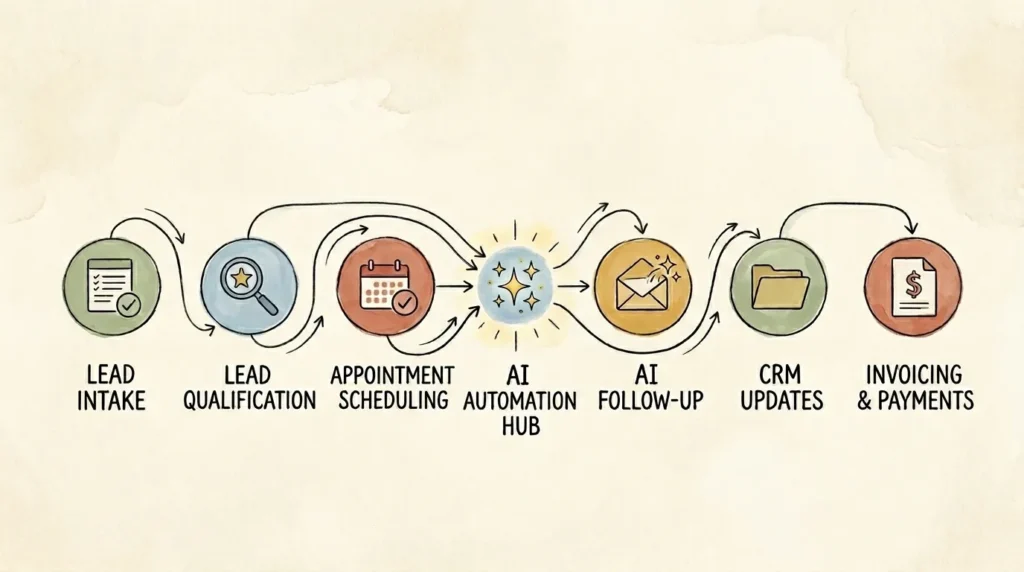
The compounding power comes from stacking automations. When your lead capture, qualification, scheduling, follow-up, onboarding, and invoicing are all linked through Zapier or Make, the whole system runs while you focus on actual client work. Quick examples: a freelance writer’s contract signature triggering Notion project setup, kickoff email, calendar deadlines, and invoice draft, all in under 2 minutes. A coach’s discovery call form triggering AI lead scoring, personalized confirmation, Calendly link, and CRM record. A solo ecommerce owner’s new review triggering AI sentiment analysis and a draft response with one-click approve and post.
Don’t try to build all of that on day one. Start with one connected workflow (probably your lead capture or client onboarding). Get it working. Add another. The first workflow takes 60 to 90 minutes to build. The third one takes 20.
Tools to combine: ChatGPT API plus Zapier (or Make) plus your existing apps. Total cost: about $25 to $50/month for most solopreneur volumes.
Try Zapier
The Solopreneur AI Stack (My Recommended Tools by Budget)
You don’t need every tool. Here’s how I’d build the stack at four budget levels.
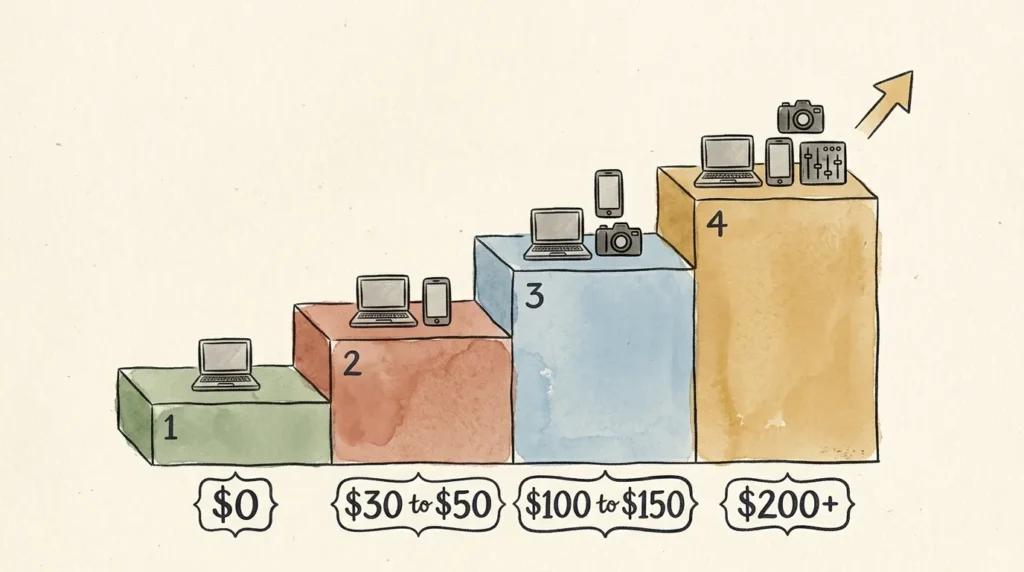
Free Starter Stack ($0/Month)
ChatGPT (free), Canva (free), Zapier (free, 100 tasks/month), Otter (free, 300 minutes), and Claude or Gemini (free). This handles 70% of the strategies above. Run this for 60 days before paying for anything.
Lean Solopreneur Stack ($30 to $50/Month)
ChatGPT Plus or Claude Pro ($20), plus Canva Pro ($15), plus Buffer for one channel ($6) or MailerLite (free up to 1,000 subscribers). This is the stack I recommend most often.
Growth Stack ($100 to $150/Month)
Add Otter Pro ($17), Reclaim Starter ($10), Zapier Starter ($20), and Jasper ($49) if you’re running a real content operation.
Maxed-Out Stack ($200+/Month)
Add Surfer SEO ($89), Tidio Starter ($29), and Zapier Professional ($49). Most solopreneurs don’t need this until they’re consistently earning $10K+ per month.
The 80/20 Rule
Most solopreneurs get 80% of their AI value from three tools: a chatbot (ChatGPT or Claude), a design tool (Canva), and an automation tool (Zapier or Make). Build that foundation first.
Common Mistakes Solopreneurs Make With AI
- Subscribing to too many tools at once. One tool used deeply beats five tools used shallowly.
- Trying to automate everything before mastering one tool. Master ChatGPT or Claude over 30 days, then add the next.
- Using AI to replace human judgment. AI is excellent at the surrounding work. Be crystal clear on what you won’t delegate to it.
- Not customizing prompts for your voice. Default AI output sounds generic because the default prompts are generic.
- Ignoring the learning curve. The third week is when it starts to click. Most quitters quit at week two.
- Posting AI content without editing. Audiences can tell. Always add personal stories, specific details, your voice.
- Forgetting that AI doesn’t replace strategy. AI saves time on execution, not on figuring out what to execute on.
How to Get Started With AI as a Solopreneur (Your First 30 Days)
Reading about AI doesn’t make you better at AI. Using it does. Here’s a 30-day plan that will reliably get you to a working AI workflow.
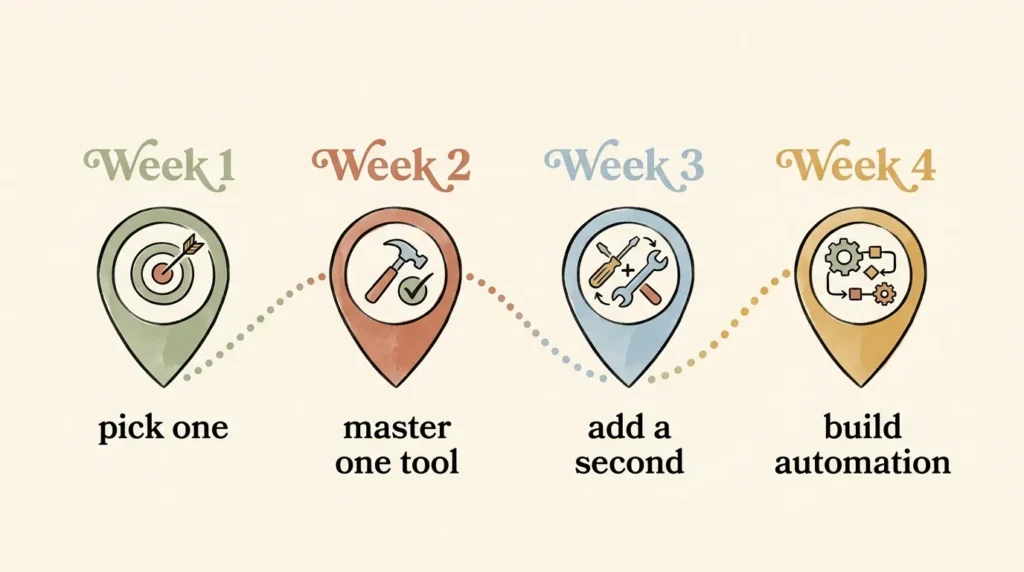
Week 1: Pick ONE Area
Look at the 10 strategies above. Pick the ONE that addresses your biggest current time drain. Don’t pick three. Block 30 minutes a day this week to apply AI to that one task.
Week 2: Master ChatGPT or Claude for That Use Case
By the end of week two, you should be reaching for ChatGPT or Claude automatically. Not as an experiment, as your default. If you’re still doing it manually most of the time, push through one more week.
Week 3: Add a Second Tool
Once your first AI use case is genuinely habitual, add a complementary tool. If you started with email drafting, add Otter. If you started with content, add Canva. Pick something that compounds with what’s already working.
Week 4: Build Your First Simple Automation
Open Zapier (free). Pick one connection: lead form to your CRM, completed Calendly meeting to a follow-up draft, anything. Build it. Test it. Turn it on. By the end of week four, you have one piece of your business running automatically.
The 1-Hour-Per-Day Rule
Spending one hour a day learning AI for 30 days will put you ahead of 95% of solopreneurs. That’s 30 hours of focused effort. Less time than most people spend on social media in a week.
Frequently Asked Questions About AI for Solopreneurs
Is AI worth it if I’m just starting my solopreneur journey?
Yes, more than ever, because you have less time and less money than you will at any other point. The free tiers of ChatGPT and Canva, plus Zapier free, plus a free transcription tool, give you a real AI stack at $0/month.
What’s the single best AI tool for a solopreneur on a budget?
ChatGPT free tier. It’s the most flexible, the most capable, and the easiest to start with.
How long does it take to see real time savings?
Most solopreneurs see meaningful time savings within the first week. Real, compounding savings (5+ hours/week) usually show up by the end of month one.
Can AI really replace hiring a virtual assistant?
For repetitive, rules-based work, yes. For judgment-heavy work, no. Most solopreneurs are best served by a strong AI stack and a small VA budget for the human-judgment work.
What if I’m not tech-savvy?
Every tool in this article is no-code. The skills required are the same skills you already use to send emails and fill out web forms.
Will my customers know I’m using AI?
If you use AI well (drafting, then editing in your voice), no. If you use it poorly (publishing raw AI output), yes. Customers don’t care that you used AI; they care whether the result is good.
Is it ethical to use AI for client work?
Using AI for first drafts, summaries, and structure is widely accepted. Using AI to produce final deliverables without disclosure is increasingly considered problematic. When in doubt, disclose.
How do I keep my voice authentic while using AI?
Two practices. First, write a single voice-training prompt with samples of your best past writing, and reuse it across every AI interaction. Second, always edit. The voice stays yours because you’re still the editor.
Conclusion: Pick One, Start This Week
Here’s the truth no one tells solopreneurs: you don’t need to work harder. You need to work smarter, and AI is the biggest “work smarter” lever that’s ever existed for solo operators.
If you implement even 3 of these strategies, you’ll likely save 5 to 7 hours per week. Implement all 10, and 10+ hours is realistic. That’s an entire workday, every single week, back in your life.
Don’t try to do all 10 at once. Pick the ONE strategy that addresses your biggest time drain right now. Master it this week. Then add another. By the end of the month, you’ll have built a personal AI system that genuinely changes how you run your business.
The solopreneurs who win in 2026 and beyond won’t be the ones who hustle the hardest. They’ll be the ones who learned to leverage AI to do the work of a small team, without ever hiring one.
Want practical AI tips for solopreneurs delivered every Friday? Subscribe to the No Fluff AI Tools newsletter.
Ready to dive deeper? Check out my full guide to the Best AI Tools for Small Business in 2026 for hands-on reviews of every tool mentioned in this article. And if you’re brand new to AI, start with How to Use AI for Small Business for a step-by-step beginner guide.
Last Updated: May 2026