AI Automation for Small Business: 12 Real Workflows That Save 10+ Hours a Week (2026 Guide)
Last Updated: May 2026
AI automation for small business sounds intimidating until you actually try it. Last month, I helped a friend who runs a small accounting firm set up his first AI automation. It took us about 45 minutes. The workflow he built (automatically extracting client info from intake emails, summarizing it with ChatGPT, and dropping it into his CRM) now saves him roughly 6 hours every single week.
Here’s what blew his mind: he’d been doing that work manually for three years. Three years of copy-pasting from emails into spreadsheets. Three years of “I should automate this someday.”
If you’re a small business owner, you’re probably sitting on five or six tasks just like that: repetitive, time-consuming, and perfect candidates for AI automation. The problem isn’t that automation is hard. It’s that nobody explains it in plain English without diving into technical jargon or expensive enterprise software.
This guide changes that. I’ll walk you through exactly what AI automation is, the 12 workflows that deliver the highest ROI for small businesses, the tools you actually need (most are free or under $30/month), and how to set up your first automation this week. No coding. No “digital transformation consultant” required.
By the end of this article, you’ll have a clear roadmap for reclaiming 10+ hours of your week. Let’s get started.
What Is AI Automation (And How It’s Different From Regular Automation)
Let’s clear up the terminology first, because “AI automation” gets used to mean three different things, and the confusion causes most of the hesitation small business owners feel about getting started.
The Simple Definition
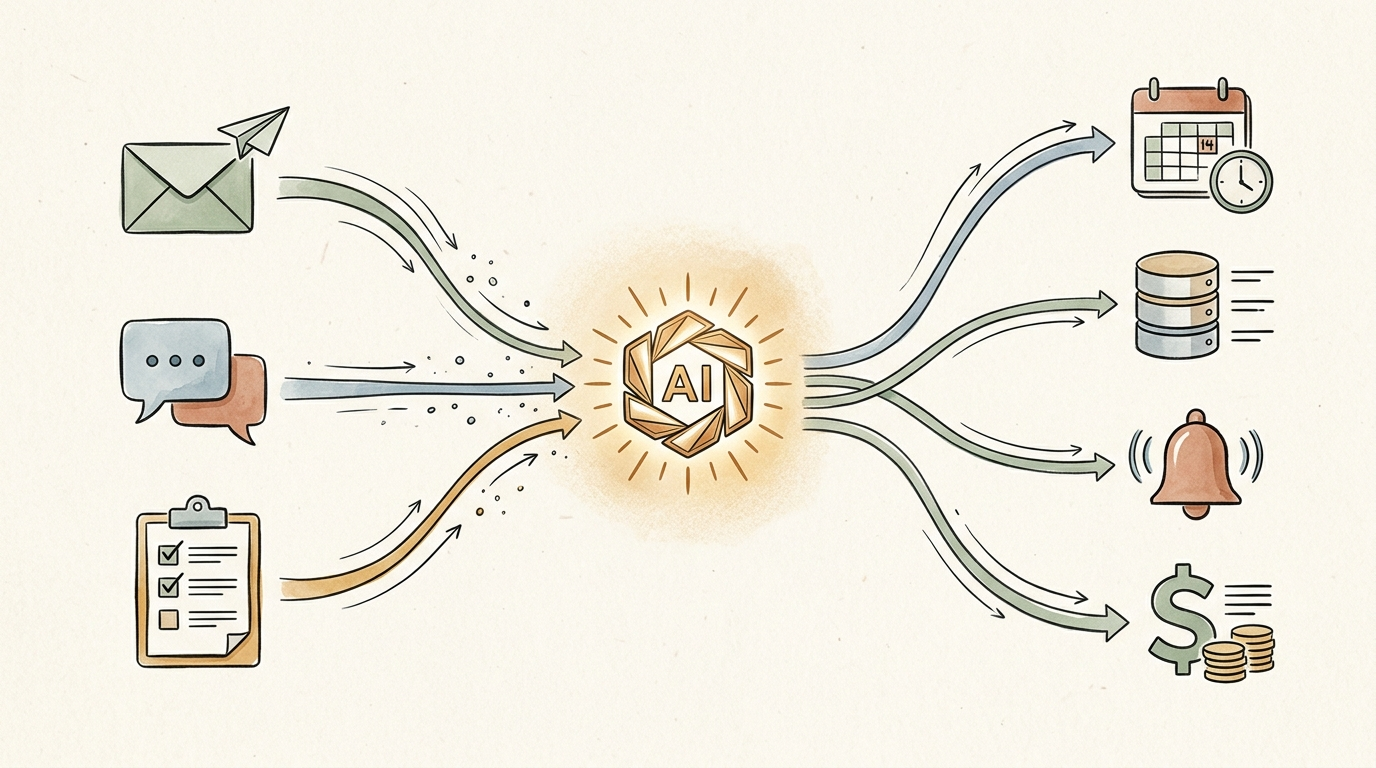
AI automation is traditional automation plus machine intelligence. Traditional automation handles the connections (“when this happens, do that”). AI handles the parts that used to require a human brain (“understand what this email is asking, then write a response in our brand voice”).
How Traditional Automation Works
Traditional automation tools like Zapier or IFTTT have always done one thing well: connect apps. When a new row is added to a Google Sheet, send a Slack message. When a Stripe payment comes in, create a Xero invoice. When a Calendly meeting is booked, add it to your CRM. These are “if this, then that” rules. They’re reliable, predictable, and limited.
The limitation: traditional automation can’t make judgment calls. It can’t read an email and decide if it’s urgent. It can’t look at a customer review and write a thoughtful response. It can’t take a long meeting transcript and pull out the three things that actually matter. Those tasks needed a human, until now.
What AI Adds
AI adds three capabilities that fundamentally change what automation can do: it can understand context (reading and comprehending unstructured text, voice, or images), generate content (writing emails, summaries, and responses), and make simple decisions (categorizing, prioritizing, scoring). When you connect AI to your existing automation tools, you get workflows that handle the messy, judgment-heavy work that used to require you.
A Quick Example: Regular vs. AI Automation
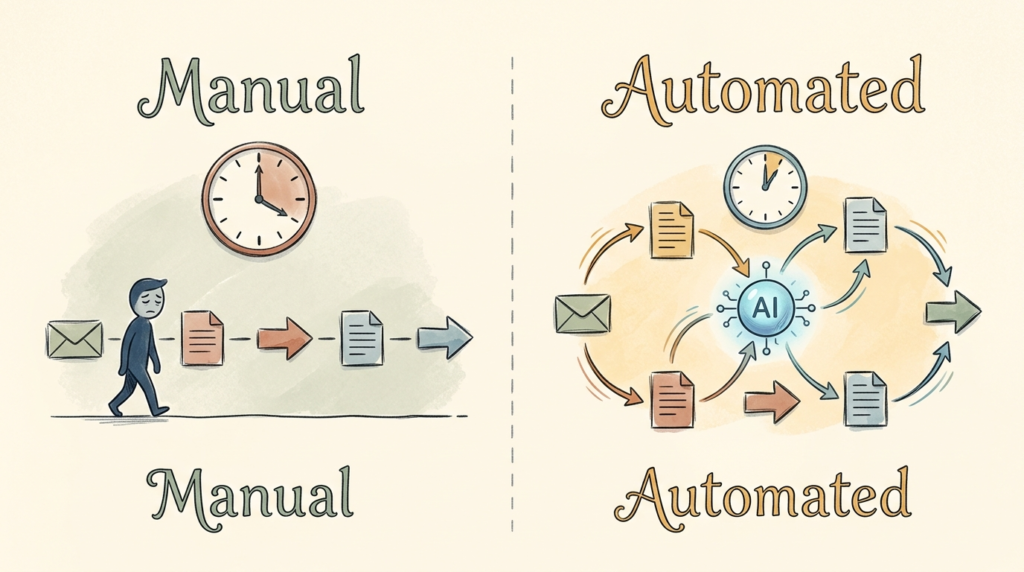
Regular automation: “when a new email arrives in support@yourbusiness.com, forward it to the support folder.”
AI automation: “when a new email arrives, read it, classify it as urgent, billing question, refund request, or general inquiry, draft a personalized response in our brand voice, and route it to the right team member with a one-line summary.”
Same starting trigger. Vastly different outcome. The first saves you 10 seconds per email. The second saves you 5 to 15 minutes per email. Multiply by 50 emails a week and you can see why this matters.
Why 2026 Is the Year This Became Accessible
Two years ago, the AI automation example above would have required a developer, a custom-built integration, and probably $5,000 in setup costs. Today, you can build it in Zapier or Make with no code in about 30 minutes. The combination of cheaper AI APIs, better no-code platforms, and pre-built integrations has dropped the barrier to nearly zero. That’s the shift. Automation is no longer something you outsource to a tech team. It’s something you do yourself, this afternoon, with a free trial.
Why Small Businesses Need AI Automation in 2026
Most small business owners I talk to are skeptical about automation at first. “My business is too small.” “My work is too custom.” “I’d rather just hire someone.” Let me push back on each of those, gently.
The Time Math Is Brutal
The average small business owner spends 10 to 20 hours per week on repetitive tasks: data entry, follow-up emails, scheduling, invoicing, social media posting, lead qualification, customer service responses. That’s a part-time job’s worth of busywork, every single week, that you’re paying for with your own time. At a $50/hour effective rate, that’s $500 to $1,000 per week of your life going into work that a $20/month tool could mostly handle.
Automation Levels the Playing Field
Big companies have always had operational leverage you didn’t. They can afford VAs, ops teams, and enterprise software that handles the busywork. AI automation is the great equalizer. A solo consultant with a smart Zapier setup can run customer onboarding workflows that look and feel as polished as those of a 50-person agency. That used to be impossible without serious headcount or budget.
The Compounding Effect
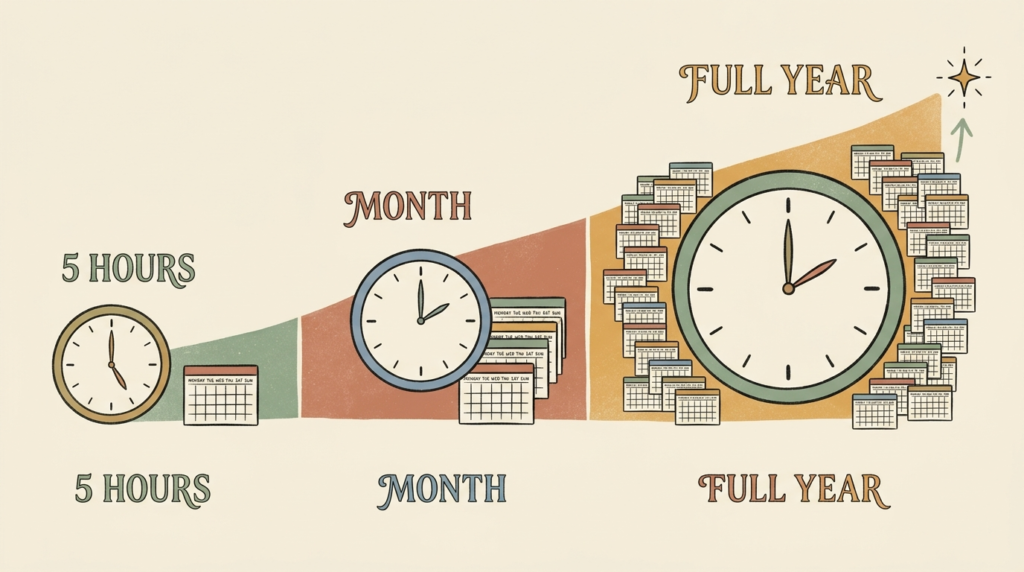
An automation that saves you 30 minutes a week doesn’t sound like much. Run it for a year and that’s 26 hours back. Run five automations like it and you’ve recovered 130 hours a year, which is more than three full work weeks. Now imagine those 130 hours spent on sales, strategy, or rest, instead of copying data between spreadsheets. That’s the real ROI.
Automation vs. Hiring a Virtual Assistant
A part-time VA typically costs $400 to $1,200/month and requires onboarding, management, and oversight. A solid AI automation stack costs $20 to $100/month, runs 24/7, and never asks for time off. VAs still have their place for judgment-heavy work, but for repetitive, rules-based tasks, automation is dramatically cheaper and more reliable. Most small businesses are best served by a small VA budget plus a strong automation stack, not one or the other.
Why “I’ll Do It Manually for Now” Is the Most Expensive Choice
Every week you delay automating a 5-hour task is a 5-hour cost. The setup time for a typical automation is 30 to 60 minutes. The breakeven is usually under two weeks. Yet most small business owners spend years saying “I’ll get to it” while bleeding hours into work that no human should still be doing manually in 2026.
A Real ROI Calculation
Take a typical small business automation: extracting invoice data from PDFs and adding it to QuickBooks. Manual time: about 5 minutes per invoice. Volume: 30 invoices per month. Total: 2.5 hours/month, or 30 hours/year. At a $50 effective rate, that’s $1,500/year of recovered time, against a tool cost of around $20/month or $240/year. Net ROI: 6x in the first year, and it compounds every year you keep using it.
12 AI Automation Workflows for Small Business (With Real Examples)
This is the heart of the article. Each workflow below includes the tools you’d use, an estimate of time saved per week, the difficulty level, and a realistic example. Pick one or two that match your business and start there.
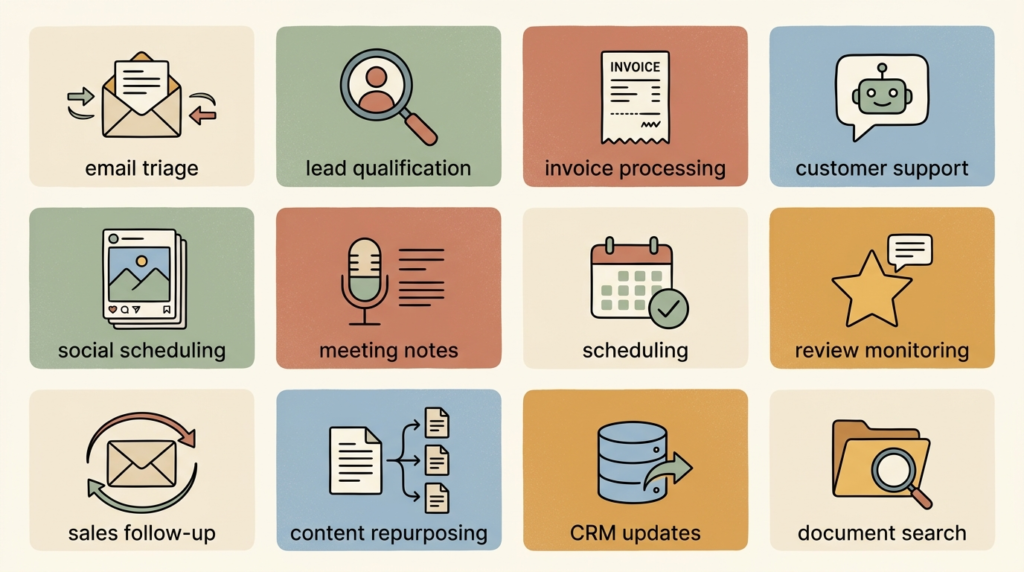
1. Email Triage and Response Drafting
Tools: Gmail or Outlook + ChatGPT + Zapier (or Make)
Time saved: 3 to 5 hours/week
Difficulty: Beginner
Incoming emails get classified by AI (urgent, billing, support, sales, spam) and routed to the right folder or team member. For common email types, AI drafts a personalized first response in your voice, which you review and send with one click. You’re still in control of every reply, but you’re editing instead of writing from scratch.
Realistic example: a freelance designer’s inbox auto-classifies project inquiries, drafts an initial response with their standard intro and rate range, and saves the draft to Gmail. They review, tweak, send. What used to take 10 minutes per email now takes 90 seconds.
2. Lead Capture and Qualification
Tools: Website form (Typeform, Tally) + ChatGPT + your CRM (HubSpot, Pipedrive) + Slack
Time saved: 2 to 4 hours/week
Difficulty: Beginner
When someone fills out your website lead form, AI scores the lead based on their answers (budget, timeline, fit), enriches the data by looking up the company, drafts a personalized first-touch email, and either notifies you on Slack for hot leads or routes cold leads into a nurture sequence. You wake up to a CRM full of qualified, scored leads instead of a pile of raw form submissions.
3. Invoice and Receipt Processing
Tools: Gmail + Dext or Hubdoc + QuickBooks or Xero
Time saved: 3 to 5 hours/month
Difficulty: Beginner
Forward any invoice or receipt to a dedicated email address. AI extracts the vendor, amount, date, line items, and tax info, then pushes the data straight into your accounting software. No manual data entry. No “missing receipt” scrambles at tax time. This is one of the most boring automations to set up and one of the highest-impact ones to actually live with.
4. Customer Support Chatbots
Tools: Tidio, Intercom Fin, or a custom GPT trained on your help docs
Time saved: 5 to 10 hours/week (for support-heavy businesses)
Difficulty: Intermediate
An AI chatbot trained on your FAQs and product docs handles the 80% of customer questions that are basically the same questions on repeat: hours, returns, shipping, basic troubleshooting. When the bot can’t confidently answer, it escalates to a human with full context. The cost of resolving a routine question drops from a 10-minute human reply to roughly 30 seconds of AI handling.
5. Social Media Content Scheduling
Tools: ChatGPT + Buffer or Hootsuite + Canva (optional for visuals)
Time saved: 2 to 3 hours/week
Difficulty: Beginner
Once a week, you sit down with a single piece of source content (a blog post, a video transcript, or a few bullet points). AI generates a week’s worth of platform-specific posts (LinkedIn, X, Instagram, Facebook), drafts captions in your voice, and Buffer schedules them across the week. The whole batch takes 20 minutes instead of two hours of stop-and-start posting.
6. Meeting Notes and Action Items
Tools: Otter, Fireflies, or Fathom + Notion or your CRM + Slack (optional)
Time saved: 2 to 4 hours/week
Difficulty: Beginner
AI joins your Zoom or Google Meet calls, transcribes everything, and produces a summary with action items, decisions made, and follow-ups. Action items can auto-route to your project management tool. You stop taking notes during calls and become more present in the conversation, which has a quiet but real effect on the quality of your client relationships.
7. Appointment Scheduling and Reminders
Tools: Calendly, SavvyCal, or Reclaim + your email + ChatGPT (optional)
Time saved: 1 to 3 hours/week
Difficulty: Beginner
Modern scheduling tools handle the back-and-forth on their own. Layer AI on top to draft personalized confirmation and reminder emails, prep a meeting brief based on the attendee’s LinkedIn or recent emails, and schedule a post-meeting follow-up draft. Eliminates the “does Tuesday at 2 work for you” email chains entirely.
8. Customer Review Monitoring and Response
Tools: Google Business Profile or Yelp + ChatGPT + email or Slack
Time saved: 1 to 2 hours/week
Difficulty: Intermediate
When a new review comes in, AI summarizes the sentiment, flags any complaints that need urgent attention, and drafts a thoughtful response. You review and post. For local businesses with a steady stream of reviews, this turns a chore you forget about into a routine that genuinely strengthens your online reputation.
9. Sales Follow-Up Sequences
Tools: Your CRM + ChatGPT + Gmail or Outlook
Time saved: 3 to 5 hours/week
Difficulty: Intermediate
After a sales call, AI reviews the meeting transcript, drafts a personalized follow-up email referencing specific things discussed, and queues up the next two follow-up touches at appropriate intervals. The emails feel personal because they actually are personal, just AI-drafted from real call data. Conversion rates on follow-ups consistently improve when the messages reference specific call details.
10. Content Repurposing
Tools: ChatGPT or Claude + your CMS or Buffer
Time saved: 4 to 8 hours per major piece of content
Difficulty: Beginner
Take one long-form piece (a blog post, a podcast transcript, a webinar recording) and have AI generate ten or more derivative pieces: social posts, an email newsletter, short-form clips, a LinkedIn article, an FAQ. The single largest leverage point for any solo creator or small marketing team. One hour of original content becomes a week of cross-channel distribution.
11. Data Entry and CRM Updates
Tools: Email or business cards + ChatGPT + your CRM
Time saved: 2 to 4 hours/week
Difficulty: Intermediate
Forward any email signature, business card image, or LinkedIn message to a dedicated address. AI extracts the contact info, enriches it with company data, and creates or updates the record in your CRM. No more “I met someone interesting last week, where did I put their info?” moments.
12. Internal Document Search
Tools: Notion AI, ChatGPT with custom GPTs, or Glean for larger teams
Time saved: 2 to 5 hours/week
Difficulty: Intermediate
Instead of digging through Google Drive, Notion pages, and old emails to find the SOP from six months ago, you ask the AI in plain English. “What’s our refund policy for enterprise clients?” “Who was the lawyer we used for the trademark filing?” “What did we decide about Q2 pricing in the March leadership meeting?” AI searches across all your business knowledge and answers. This is the highest-leverage automation for any growing team.
The Best AI Automation Tools for Small Business
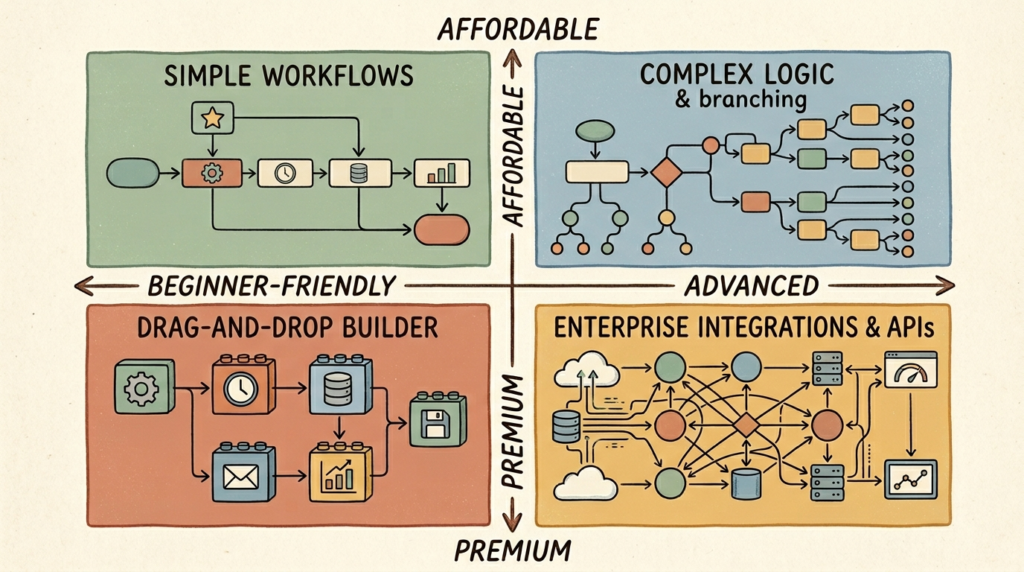
There are dozens of automation platforms. You don’t need most of them. Here’s the short list that covers nearly every small business need.
Zapier: The Most Popular No-Code Platform
Best for: Most small businesses, especially those just starting with automation.
Price: Free tier (100 tasks/month). Starter $20/month. Professional $49/month.
Zapier connects more apps than any other automation platform (around 7,000 at this point) and has been steadily adding AI features that make it easier than ever for non-technical owners to build complex workflows. The conversational Zap builder, AI logic steps, and pre-built AI templates mean you can describe what you want in plain English and Zapier will help you assemble it.
Pros: Largest integration library. Cleanest interface for beginners. Reliable. Well-documented.
Cons: Pricing scales fast once you cross 750+ tasks/month. Less powerful than Make for complex workflows.
Try Zapier
Make (formerly Integromat): Best for Visual Workflow Building
Best for: Owners who want more powerful, branching workflows or run high automation volume.
Price: Free tier (1,000 operations/month). Core $9/month. Pro $16/month.
Make uses a visual canvas where you drag and drop modules, build branches, add filters, and design workflows that would be awkward in Zapier’s linear interface. The pricing is significantly cheaper than Zapier at scale. The tradeoff is a steeper learning curve. If you’re building your first three automations, start with Zapier. If you’re running thousands of operations a month, Make pays for itself fast.
Pros: Significantly cheaper at scale. More powerful workflow logic. Strong template library.
Cons: Steeper learning curve. Smaller integration library than Zapier. Documentation isn’t always as polished.
Try Make
n8n: Free and Open-Source
Best for: Tech-comfortable owners or developers who want full control and self-hosting.
Price: Free if self-hosted. Cloud plans from $20/month.
n8n is the open-source alternative. If you’re comfortable spinning up a small server or running it locally, you can use n8n for free, indefinitely, with no task limits. The interface is similar to Make’s visual builder. Skip n8n if the words “self-host” made you nervous; the cloud plans negate most of the cost advantage.
ChatGPT API + Zapier: The Most Flexible Combo
Best for: Owners who want the smartest possible AI in their automations.
Price: Pay-per-use API costs (typically a few cents per task) plus your Zapier plan.
Adding the ChatGPT (or Claude) API as a step in your Zapier workflows gives you the full power of the underlying models with the simplicity of Zapier’s interface. This is what unlocks most of the truly impressive AI workflows: classification, drafting, summarization, decision-making. The API costs are usually trivial (under $5/month for most small business workloads), but they’re metered, so monitor usage at first.
Microsoft Power Automate: For the Microsoft 365 Crowd
Best for: Businesses already running on Microsoft 365 (Outlook, Excel, Teams, SharePoint).
Price: Often included in Microsoft 365 Business Premium. Standalone plans from $15/user/month.
If your business already runs on Microsoft, Power Automate is probably already in your subscription. The integrations into Outlook, Excel, Teams, and SharePoint are deeper than what Zapier offers, and the AI Builder add-on lets you do invoice extraction, sentiment analysis, and form processing natively. Outside the Microsoft ecosystem, the integration library is much weaker than Zapier’s.
IFTTT: For Simple Personal/Business Automations
Best for: Simple, single-step automations and home/business hybrid workflows.
Price: Free tier. Pro from $3.49/month. Pro+ $14.99/month.
IFTTT is the lightweight option. It’s genuinely simple, very affordable, and good for personal-flavored automations (smart home, social posting, basic notifications). For serious business automation involving CRMs, accounting tools, or AI workflows, Zapier and Make are stronger choices.
Pricing Breakdown: What You Actually Need
For most small businesses just starting out, the answer is simple: Zapier free tier or Make free tier, plus the OpenAI or Anthropic API for around $5/month. You can run real, working AI automations for under $10/month total until you hit volume that justifies upgrading. Don’t pay for the higher tiers until you have a clear pain point that requires them.
My Honest Recommendation
Start with Zapier free tier. Build three automations. Once you hit the task limit (and you will, fast, because once you start automating you’ll find more candidates everywhere), evaluate whether to upgrade to Zapier paid or migrate to Make for the cost savings. For most small businesses, the answer is Zapier paid because the productivity gain from staying in a familiar interface outweighs the cost difference.
How to Set Up Your First AI Automation (Step-by-Step Tutorial)
Reading about automation doesn’t make you better at automation. Building one does. Here’s the step-by-step process for your first one. Block 30 minutes, follow this, and you’ll have a working automation by the end.
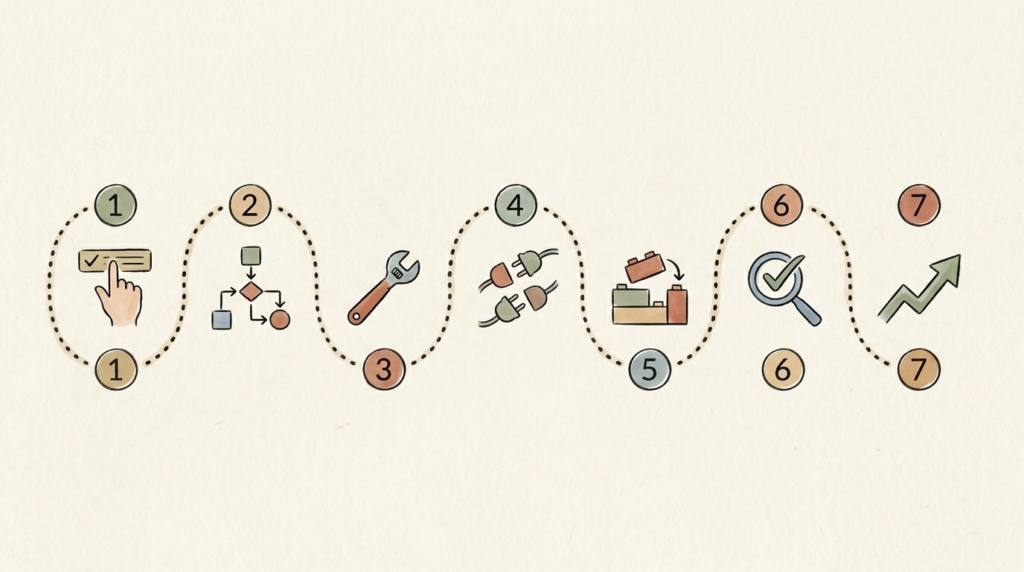
Step 1: Pick the ONE Task You Do Most Often That You Hate
Don’t overthink this. The right first automation is whatever task you’re currently doing manually that makes you grimace. For most people that’s email sorting, lead intake, invoice handling, or social media posting. Pick the one that comes to mind first, because that’s usually the one that’s costing you the most time.
Step 2: Map Out the Steps (Input → Process → Output)
On paper or in a doc, write out exactly what you do today. What triggers the task? What information do you need? What do you do with the result? Be specific. “Email comes in → I read it → I check the calendar → I draft a reply → I send the reply” is the kind of detail you need. Most people skip this step and immediately fail to build the automation, because they don’t actually understand their own process.
Step 3: Choose Your Tool
For your first automation, use Zapier. Free tier. Don’t deliberate. The point of the first build is learning the rhythm of automation, not optimizing for cost or capability. You can switch tools later.
Step 4: Connect Your Apps
In Zapier, connect each app your automation will touch (Gmail, Google Sheets, ChatGPT, your CRM, whatever). This usually takes 30 to 60 seconds per app and involves clicking “sign in” and authorizing access. Connect everything you need before you start building.
Step 5: Build Your First Zap
Click “Create Zap.” Pick your trigger (the event that starts the workflow). Configure the steps that follow. For an AI step, add “ChatGPT” or “OpenAI” as a module and write a clear prompt that tells it what to do with the data from previous steps. Don’t make this prompt complicated. Treat it like an instruction to a smart assistant: “Given this email, classify it as urgent, billing, support, or general, and draft a 2-paragraph response in a friendly professional tone.”
Step 6: Test It With Real Data
This is the step most beginners skip and regret. Zapier lets you test each step of your Zap with real data before turning it on. Run the test. Look at the output. Does it look right? If not, refine your prompt or step configuration. Don’t turn the automation on live until the test output looks like what you actually want.
Step 7: Refine and Expand Once It’s Working
Turn the Zap on. Watch it run for a few days. You’ll spot edge cases (“it didn’t handle this kind of email well”) and refine. After a week of stable use, ask: “what’s the next 30 minutes of work this Zap could remove?” Add a step. Repeat. The best automations grow over time.
Common Beginner Mistakes
- Trying to build a complex multi-branch workflow as your first Zap. Start simple.
- Skipping the test step. Always test with real data.
- Writing vague AI prompts. Be specific about what you want and how.
- Not setting up error notifications. Have Zapier email you when a Zap fails.
- Building once and walking away. Check on your automations weekly for the first month.
AI Automation by Business Type (Real-World Examples)
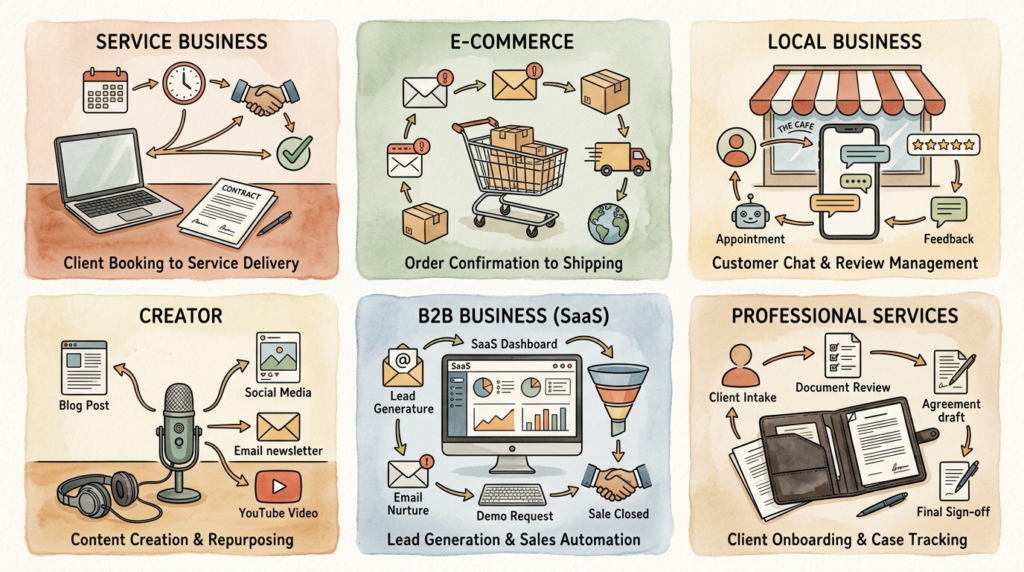
The 12 workflows above work across most small businesses, but the specific automations that move the needle vary by what you actually do. Here’s how to think about it.
Service Businesses (Consultants, Agencies, Freelancers)
Highest-leverage automations: client intake (form to AI-qualified lead in your CRM), proposal drafting (meeting notes to AI-generated proposal first draft), and onboarding (signed contract to welcome email sequence and project setup in Notion or ClickUp). These three alone can save 5 to 10 hours per new client onboarded.
Ecommerce Stores
Highest-leverage automations: abandoned cart sequences (cart abandonment to AI-personalized recovery email), product description generation (new product to AI-drafted listing), customer service routing (incoming email to AI classification and reply draft), and review responses (new review to AI-drafted reply for owner approval).
Local Businesses (Restaurants, Salons, Contractors)
Highest-leverage automations: appointment booking (web inquiry to calendar invite plus prep info), review monitoring (new Google review to AI-drafted response in your voice), and social media posting (weekly batch of seasonal or special-of-the-week posts). Local businesses often skip automation thinking it’s for tech companies. The opposite is true. The simpler your operation, the easier the wins.
Content Creators and Solopreneurs
Highest-leverage automations: content repurposing (one long-form piece to ten distribution pieces), newsletter drafting (week’s notes to first-draft newsletter), and audience research (saved articles or tweets to weekly trend summary). Solo creators get more leverage from automation than almost any other business type because every hour saved is an hour for new content.
SaaS and B2B Small Businesses
Highest-leverage automations: lead scoring and routing (form fill to AI-scored lead in CRM with personalized follow-up draft), sales call follow-up (meeting transcript to AI-drafted summary, next steps, and follow-up email), and customer onboarding (new signup to multi-touch onboarding sequence). The economics here are strong because the cost of any individual lead is high enough that AI handling pays back fast.
Professional Services (Legal, Accounting, Real Estate)
Highest-leverage automations: client intake (form to summary plus initial conflict check), document review preparation (uploaded document to AI-generated summary and key term extraction), and listing or filing automation (document to formatted output ready for review). Privacy is the top concern in this category. Use Claude (Pro or Team) over ChatGPT for client work, and never paste personally identifying information into a public AI tool.
How to Identify Tasks Worth Automating (The 5-5-5 Rule)
Not every task is worth automating. Spending three hours building a Zap to save 10 minutes a month is a worse investment than just doing the task by hand for the next five years. Here’s the rule I use to decide what’s worth automating.

The 5-5-5 Framework
Automate any task that:
- Takes 5+ minutes each time you do it,
- Happens 5+ times per week, and
- Follows 5+ predictable steps.
If a task hits all three, it’s a strong automation candidate. If it hits two, it’s a maybe. If it only hits one, leave it alone for now and focus your automation time elsewhere.
Why Low-Frequency Tasks Are a Waste
An automation that takes 60 minutes to build and runs once a month saves you about 5 minutes a month. Breakeven is somewhere around 12 months. Compare that to an automation that takes 60 minutes to build and runs daily: breakeven in two weeks. Always go for the daily ones first. The monthly tasks can wait until you’re running out of daily ones.
Auditing Your Week
For one week, keep a rough log of every recurring task you do. At the end of the week, sort them by frequency. The top 5 to 10 tasks on that list are your automation candidates. Run them through the 5-5-5 filter and pick the highest-frequency, highest-time-cost one to automate first.
Tasks That Should NOT Be Automated
Anything requiring real human judgment: hiring decisions, sensitive client conversations, anything emotional or political within your team, novel creative work where the value is in your specific perspective. Also: anything you actually enjoy doing. Automation is for the work that drains you, not the work that energizes you.
The Judgment Threshold
A useful test before automating: “if this task were done badly, what’s the worst-case outcome?” If the answer is “nothing serious, I’ll catch it in review,” automate freely. If the answer is “we could lose a client” or “we could break a regulation,” either don’t automate, or build the automation as a draft that always requires human approval before going live.
Common AI Automation Mistakes (And How to Avoid Them)
I’ve watched a lot of small business owners try AI automation and stall. Almost every failure traces back to one of these patterns.
Automating Before You Understand the Manual Process
If you can’t describe the task step by step, you can’t automate it. Map the manual process first. Most failed automations come from people skipping this step and trying to build a workflow they don’t actually understand.
Building Overly Complex Workflows on Day One
Your first automation should have 2 to 4 steps. Resist the temptation to build a 12-step branching monster on day one. Start small, get it working, expand from there. A simple automation that runs reliably beats a complex one that breaks every other day.
Not Testing With Real Data
Always test before going live. Always. AI is unpredictable enough that you need to see how it handles your actual data before trusting it with live workflows.
Setting Up and Walking Away
Automation is not set-and-forget. Check on your automations weekly for the first month, then monthly after that. Apps change their APIs, AI models update, edge cases come up. The owners who succeed with automation treat it as a living system.
Choosing the Wrong Tool for Your Skill Level
If you’re non-technical, don’t start with n8n self-hosted. Start with Zapier. Match the tool to your comfort level. You can graduate later.
Forgetting About Privacy and Security
Every automation involves data flowing somewhere. Before you build, ask: what data is moving, where is it going, and who has access? We’ll cover this properly in the next section.
Trying to Automate Everything
Most of the value comes from your top 3 to 5 automations. Don’t spread yourself thin trying to automate everything. Focus on the highest-ROI workflows and let smaller things stay manual until they’re worth the time.
Not Training Your Team
If you have any team members, walk them through what each automation does and what to do if it breaks. Automation that only one person understands is a single point of failure.
How Much Does AI Automation Cost for Small Businesses?
The Free Tier Is Real
Zapier’s free tier (100 tasks/month) is genuinely usable for your first automation or two. Make’s free tier (1,000 operations/month) is even more generous. Combine that with the OpenAI API at pennies per call, and you can run two or three real, working AI automations for under $5/month total.
The Starter Stack ($20 to $50/Month)
Once you outgrow the free tier, the typical small business automation budget is Zapier Starter ($20/month) plus the OpenAI API ($5 to $20/month depending on volume). At this level you can run a dozen or more automations comfortably. Most small businesses never need to spend more.
Scaling Up ($100 to $300/Month)
Larger automation volume or more sophisticated workflows might justify Zapier Professional ($49/month), Make Pro ($16/month for high-volume operations), or specialized tools like Make for the heavy workflows plus Zapier for the simple ones. Add Notion AI ($10/user) and a chatbot tool like Tidio ($29/month) and you’re still under $200/month for a serious operational stack.
Hidden Costs to Watch
- AI API costs. Usually small but metered. Watch the first month’s bill carefully.
- Per-seat pricing. Many tools charge per user once you add team members.
- Premium integrations. Some app connections require higher Zapier or Make tiers.
- Annual vs. monthly pricing. Annual plans usually save 15 to 25%.
ROI Math
The typical breakeven on a well-built automation is 2 to 3 weeks. After that, every hour saved is pure profit. For most small businesses, the AI automation budget pays for itself many times over within the first quarter, and continues to compound from there.
AI Automation Privacy and Security Considerations
This is the section most automation guides skip. It’s also the one that matters most if you handle sensitive data.
Where Your Data Actually Goes
When data flows through Zapier or Make, it touches their servers. When it goes through ChatGPT or another AI API, it touches that provider’s servers. Each integration adds another party that has technical access to your data, even if briefly. For most workflows (drafting marketing emails, sorting general inbox traffic) this is fine. For client medical records, financial documents, or confidential contracts, it’s not.
Risks of Connecting Customer Data to AI Tools
The biggest risk isn’t a malicious leak. It’s an automation that quietly sends data somewhere you didn’t intend. Audit your automations: what data are they sending, where is it going, and is that what you intended? Many privacy issues come from “I didn’t realize Zapier was sending the full customer record to ChatGPT, I just wanted the email subject summarized.”
Handling Sensitive Information
Never put passwords, payment data, full health records, or government IDs into general-purpose AI workflows. For these, use enterprise tiers with stricter data handling (ChatGPT Team, Claude for Work, Microsoft Copilot for Microsoft 365) or anonymize the data before it touches the AI step.
Compliance Considerations
If your business handles regulated data (HIPAA for healthcare, GDPR for EU residents, CCPA for California residents, GLBA for financial), the standard public tools and tiers are usually not appropriate. Most major providers offer compliant business tiers. The choice is whether to use them, not whether to automate at all. If you’re unsure, talk to a compliance professional before connecting AI to client data.
Permissions and Access Controls
When connecting an app to your automation tool, grant only the permissions the automation needs. Don’t grant full account access if read-only would suffice. Review your connected apps every few months and revoke access for tools you’re no longer using.
Consumer vs. Enterprise Tools
For sensitive client work, business or enterprise tiers are worth the extra cost. ChatGPT Team and Claude for Work don’t train on your data by default, offer stricter data handling, and provide team admin features. The few extra dollars per user per month is cheap compared to the cost of a privacy incident.
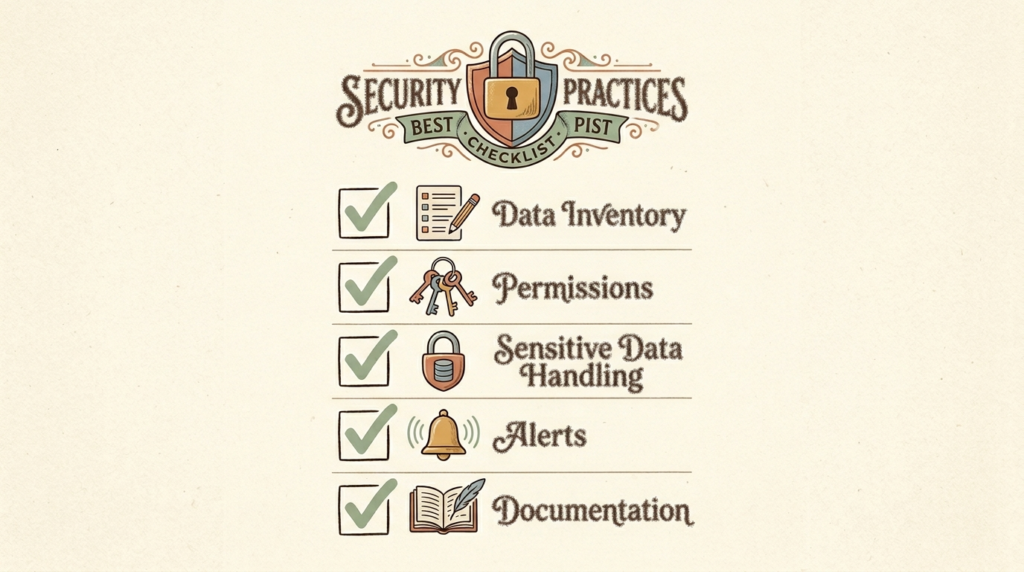
A Simple Pre-Launch Security Checklist
- List every app the automation touches and what data flows through it.
- Confirm you’ve only granted the minimum necessary permissions.
- Verify any sensitive data is either anonymized or routed through a compliant tier.
- Set up error alerts so you know if something fails.
- Document the automation in a shared place so any team member can understand it.
The Future of AI Automation for Small Business
AI Agents and Autonomous Workflows
The biggest near-term shift: automations that don’t just follow rules but make multi-step decisions on their own. Instead of “when X happens, do Y,” it’s “handle the entire customer onboarding process for new clients,” and the AI figures out the steps. Early versions of this exist today and will become more reliable and accessible over the next 12 to 24 months. The owners who learn the basics now will be ready to leverage agents when they go mainstream.
Why Automation Will Become as Essential as Email
Twenty years ago, a small business could function without email. Ten years ago, that was already absurd. AI automation is on the same trajectory. The businesses that adopted email early gained a years-long advantage over those that didn’t. The same pattern is playing out with automation right now, just compressed into a much shorter window.
Competing With Enterprise Efficiency
AI automation lets a 3-person team operate with the leverage of a 30-person team. The gap between small and large businesses, in terms of operational throughput, is collapsing. The remaining advantages of large companies will increasingly be capital and brand reach, not execution speed. That’s a generational shift, and small business owners who lean into it now will benefit for years.
Skills Worth Learning Now
Prompt engineering. Workflow design. Knowing when to trust automation and when to override it. Data privacy literacy. Comfort with no-code tools. None of these require coding. All of them will be more valuable in 2030 than they are today. Spend an hour a week building these muscles and you’ll be miles ahead of competitors who keep waiting for someone else to figure it out.
The 2 to 3 Year Window
Most small businesses are still in the “I’ll get to it” phase with automation. That window is closing. By 2027 or 2028, AI automation will be table stakes, like having a website or accepting credit cards. Today, it’s still differentiating. The early adopters are building advantages that will compound for years before the laggards catch up.
Frequently Asked Questions About AI Automation
Do I need coding skills to set up AI automation?
No. Every tool covered in this article is no-code or low-code. If you can use a website form and write a clear sentence, you have all the skills required to build your first automation. The only thing you need to learn is how the specific tool works, which takes about an hour.
What’s the best AI automation tool for beginners?
Zapier. Free tier. Don’t deliberate. The interface is the cleanest, the integration library is the largest, and the AI features are well-integrated. You can switch tools later if you outgrow it.
How long does it take to set up my first automation?
30 to 90 minutes for the first one, including learning the tool. After that, most automations take 15 to 45 minutes to build. The time investment drops significantly once you’ve done one.
Can AI automation replace employees?
It mostly replaces tasks, not people. Most small businesses use automation to free their existing team for higher-value work, not to cut headcount. If you’re a solo owner, automation might replace the part-time hire you would have made eventually. If you have a team, automation usually means each team member can handle more without burning out.
Is AI automation safe for sensitive customer data?
It depends on the tier and the data. Free tiers of public tools are not appropriate for regulated data (medical, financial, legal client work). Business and enterprise tiers (ChatGPT Team, Claude for Work, Microsoft Copilot for Microsoft 365) offer stricter data handling and are appropriate for most sensitive use cases. Always check compliance for your specific industry.
How much should a small business budget for automation?
Most small businesses are well-served at $20 to $100/month. Solopreneurs can run a starter stack for under $30/month. Small teams typically land at $100 to $300/month. Spending more isn’t inherently better; spending it on automations that don’t earn their keep is the bigger risk.
What happens if my automation breaks?
Zapier and Make both notify you when a workflow fails. The automation pauses until you fix it. The fix is usually quick (a permission expired, an app changed something). The biggest risk is ignoring failure notifications. Set up alerts and check on your automations weekly for the first month after building them.
Can I automate tasks across different software (Google, Microsoft, etc.)?
Yes. Both Zapier and Make connect Google and Microsoft tools, plus several thousand others. You can build a workflow that pulls a Gmail email, summarizes it with ChatGPT, adds a row to a Google Sheet, and posts to a Microsoft Teams channel, all in one Zap. Cross-platform automation is the default, not the exception.
Conclusion: Build One, Not Twelve
Here’s the honest truth: AI automation isn’t going to transform your business overnight. But it doesn’t need to. What it will do is give you back hours every week, hours you can spend on strategy, customers, family, or just not feeling overwhelmed.
The biggest mistake I see small business owners make is thinking they need to automate everything at once. You don’t. You need ONE good automation working reliably, then another, then another. Build slowly. Build well.
If you take one action from this article, let it be this: pick the single most repetitive task in your week and commit to automating it in the next 7 days. Open Zapier (free), spend 30 minutes mapping it out, and build your first workflow. The first one is always the hardest. After that, you’ll wonder how you ever lived without it.
The small businesses that win in the next five years won’t be the ones with the biggest teams. They’ll be the ones who learned to use AI automation to do the work of a team of 10 with a team of 2.
Want practical AI automation ideas delivered every Friday? Subscribe to the No Fluff AI Tools newsletter. I share new automation workflows and tool recommendations that small business owners can actually use.
Ready to dive deeper? Check out my full guide to the Best AI Tools for Small Business in 2026 for hands-on reviews of every automation tool mentioned in this article.Last Updated: May 2026