AI for One-Person Business: How to Run It All Solo in 2026
Last Updated: May 2026
If you’re running things alone, AI for one-person business owners is no longer a nice-to-have. It’s the thing that makes solo operation actually sustainable. Running a one-person business in 2026 is the closest thing to being a magician most people will ever experience. You’re a marketing department, customer service rep, accountant, content creator, salesperson, and IT support, often all in the same morning. The work doesn’t stop because there’s no one else to pick up the slack.
Here’s a stat that surprised me: there are now more than 28 million one-person businesses in the United States alone, and that number is growing about 7% per year. The “solo founder” or “company of one” model isn’t a fringe lifestyle anymore. It’s the fastest-growing category of business in America.
But here’s the catch: traditional business advice doesn’t work for one-person businesses. “Just hire a VA!” “Build a team!” “Delegate that!” None of that applies when YOU are the entire team. Most playbooks assume you have employees. You don’t. You have you, your laptop, and a calendar that’s probably already overloaded.
AI for one-person business operations changes everything.
I’ve spent the last several months testing dozens of AI tools and workflows specifically through the lens of “what helps a one-person business owner?” Not what helps a 50-person team. Not what helps a venture-funded startup. What helps a real solo operator running everything alone. The result is the practical guide you’re about to read.
You’ll learn the 12 specific ways AI can take work off your plate, the tools that actually deliver value, and how to build a complete one-person business tech stack without hiring anyone, even part-time. By the end of this article, you’ll have a clear roadmap for using AI to do the work of a small team, by yourself.
Let’s get into it.
What “One-Person Business” Actually Means in 2026
Before we dive into AI for one-person business workflows, let’s be clear about who this guide is for. A one-person business is exactly what it sounds like: a real business operated by a single person, with no employees and no permanent team. That includes solo founders, freelancers, consultants, online creators, course teachers, indie SaaS makers, and self-employed professionals.
The line between a one-person business and a side hustle matters: a one-person business is your primary income source and you treat it as a real operation. A side hustle is supplemental income from something you do part-time. The advice in this article applies to both, but the urgency hits harder when this is your full income.
Why are one-person businesses exploding? Three reasons. Lifestyle (more people want autonomy and flexibility than ever before). Economics (the cost of running a real business has dropped dramatically). Technology (tools that used to require a team are now operated by one person with a laptop). AI is the latest, and biggest, accelerant in that third category.
A Reality Check
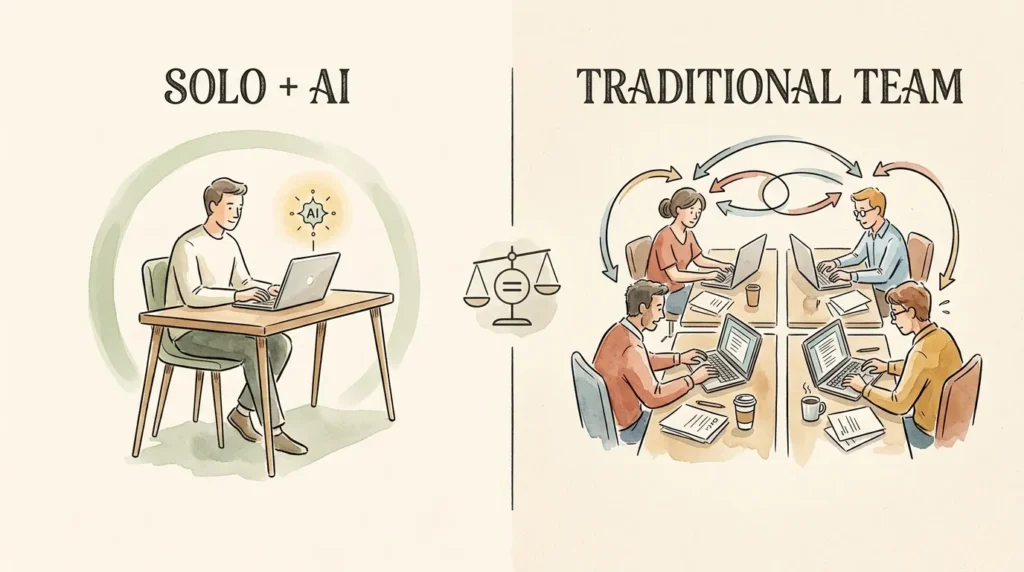
AI for one-person business work isn’t magic. It won’t turn a $20K/year freelancer into a million-dollar founder overnight. What it WILL do is fundamentally change how much output one person can produce. The solo operator with a smart AI stack in 2026 is operating at the leverage of a 4 to 5 person team in 2022. That’s not hype. That’s the math.
Why AI Is a Game-Changer for One-Person Businesses
Big companies adopting AI get a productivity bump. One-person businesses adopting AI get a fundamentally different operating capacity. The leverage ratio is wildly different, and that’s the entire reason this matters more for solo operators than for anyone else.
The Leverage Problem
One person can only do so much manually. There are 168 hours in a week, and probably 50 to 60 of them are realistically available for work. Without leverage, that’s your hard ceiling. AI lifts the ceiling. Tasks that used to consume an hour now take 10 minutes. Workflows that used to require an assistant now run themselves. The same person, in the same hours, produces meaningfully more.
The Force Multiplier Effect
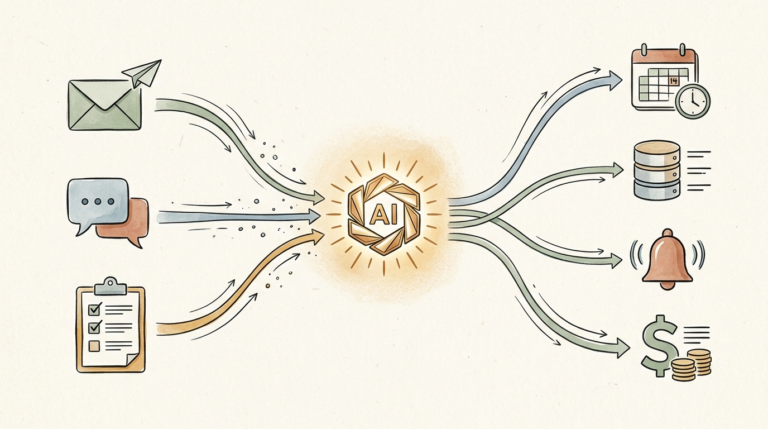
When solo operators stack 3 or 4 well-built AI workflows, they often describe the result as feeling like they’ve hired a small team. One AI handles inbox triage. Another drafts content. Another summarizes meetings and extracts action items. Another scores leads. Each one is small. Stacked, they replicate what would otherwise be 3 to 5 part-time hires.
The Real Economics
A part-time virtual assistant typically costs $1,500 to $3,000 a month. A complete AI stack for a one-person business costs $50 to $200 a month. The cost difference isn’t marginal; it’s an order of magnitude. And the AI runs 24/7, never asks for time off, and onboards in an afternoon. For repetitive, rules-based work, AI for one-person business owners is dramatically cheaper and more reliable than hiring.
Leveling the Playing Field
Big companies have always had operational leverage that solo operators didn’t. AI is the great equalizer. A one-person consulting firm with a smart AI stack now runs onboarding workflows that look as polished as those of a 50-person agency. That used to be impossible without serious headcount or budget. Today, it’s table stakes.
The Compounding Advantage
Solo operators who adopt AI in 2026 will have a 12 to 18 month head start on those who wait until 2027. The advantage compounds, because every workflow you build keeps running, every prompt you refine keeps producing, and every system you put in place keeps freeing time for the next system. Early adopters don’t just save more time; they build operational depth that’s hard to catch up on.
What AI Can’t Replace
Be honest about the limits. AI can’t replace your strategic judgment, your relationships with clients, your unique perspective, or the parts of your business that exist because you’re you. The one-person businesses that win at AI use it for the surrounding work and protect the core. Get that distinction wrong and you end up with output that sounds like everyone else’s.
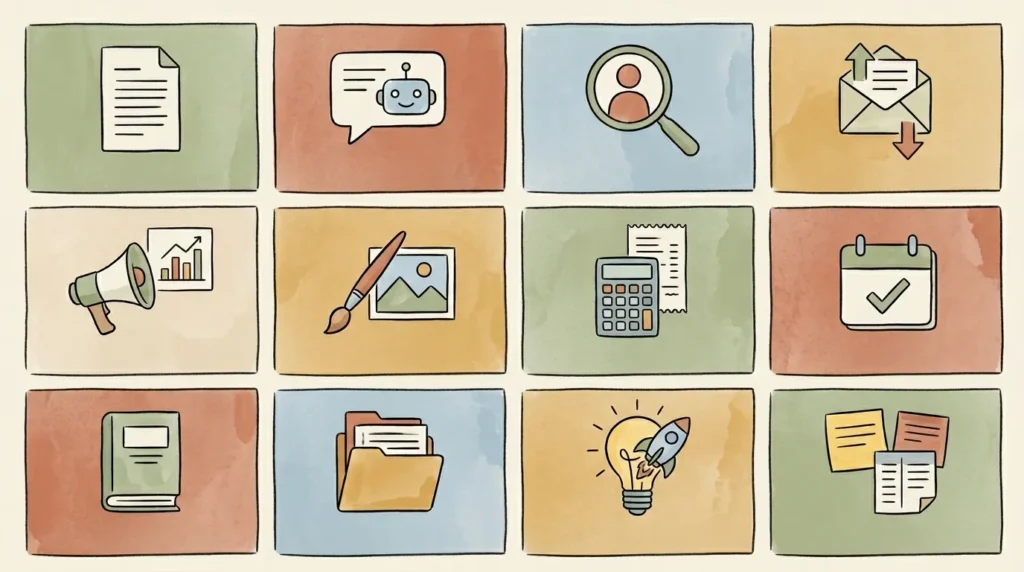
12 Ways AI Can Help You Run a One-Person Business
Each of the 12 use cases below includes a specific recommended tool and a realistic example. Pick the two or three that match your biggest current pain points and start there.
1. AI for Content Creation
Blogs, newsletters, social posts, and marketing copy. ChatGPT or Claude turns a rough idea into a clean first draft in seconds. You edit, you publish. Real example: a freelance graphic designer (let’s call her Sarah, in Austin) used to spend Sundays writing her weekly newsletter. Now she records a voice memo with her thoughts, transcribes it, runs it through Claude with a brand voice prompt, and publishes within 30 minutes.
2. AI for Customer Service
Tools like Tidio and Intercom Fin handle the 80% of customer questions that are basically the same questions on repeat. Hours, returns, shipping, basic troubleshooting. The bot answers automatically; you only see the genuinely tricky 20% that needs human judgment. Setup takes under an hour.
Try Tidio
3. AI for Sales and Lead Generation
Inbound leads get scored automatically. Cold outreach gets personalized at scale (without sounding robotic). Real example: a solo SaaS founder (call him Marcus, building a productivity tool) connected his website lead form to Zapier plus ChatGPT. Every new lead gets AI-scored, drafted a personalized welcome, and added to his CRM with full context. Conversion to demo call doubled in 90 days.
4. AI for Email Management
The single biggest time tax on one-person businesses. AI drafts replies, organizes the inbox, and summarizes long threads. Most solo operators who adopt this seriously report cutting email time by 50 to 70%. The math compounds fast: an hour a day saved is 250+ hours a year recovered.
5. AI for Marketing and SEO
Surfer SEO analyzes top-ranking pages and tells you exactly what to write to compete. ChatGPT generates ad copy, landing page variations, and email subject lines. For solo operators competing against bigger marketing teams, this is the closest you can get to having an in-house marketing function.
Try Surfer SEO
6. AI for Design and Visuals
Canva’s AI features (Magic Design, Magic Write, AI image generation) cover almost every visual need a one-person business has. Social graphics, blog headers, simple infographics, presentation decks. None of it requires design skill. Most can be done in 15 minutes.
Try Canva Pro
7. AI for Bookkeeping and Finance
QuickBooks, Xero, and Wave use AI to read receipts, auto-categorize transactions, and chase late invoices. Add a tool like Dext for receipt scanning. The boring 80% of bookkeeping handles itself. You still need a human accountant for taxes and high-stakes decisions, but the day-to-day disappears.
8. AI for Scheduling and Time Management
Reclaim, Motion, and Calendly with AI features auto-block focus time, intelligently move tasks around your meetings, and protect personal time. Real example: an online course creator (call her Jenna, who teaches photography) had Reclaim manage her teaching prep, deep work blocks, and recurring 1:1s. She stopped thinking about her schedule on a daily basis, which freed mental space she didn’t realize she was using.
Try Reclaim.ai
9. AI for Research and Decision-Making
Drop a competitor’s URL into Claude and ask for a positioning analysis. Use Perplexity for cited research. Ask ChatGPT to play devil’s advocate on a business decision. For one-person business owners who don’t have a co-founder to bounce ideas off, AI is a genuinely useful thinking partner.
10. AI for Operations and Admin
Document creation, contract review (with caveats; never replace a real lawyer for real legal work), process documentation, SOP writing. The kind of work that always falls to the bottom of the list because it’s never urgent. AI makes it 10x faster.
11. AI for Product Development
Brainstorming features, drafting product descriptions, analyzing beta feedback, generating onboarding flows. Real example: a solo consultant (David, who advises ecommerce brands) uses ChatGPT to analyze post-engagement client surveys, identify themes, and propose service refinements. What used to take a week of qualitative coding now takes an afternoon.
12. AI for Personal Productivity
Otter and Fathom transcribe meetings and produce summaries with action items. Notion AI summarizes notes and pulls action items across projects. For one-person business owners, the cumulative effect is genuine: nothing falls through the cracks because the AI catches what your brain misses.
Try Otter.ai
The One-Person Business AI Tech Stack (My Recommended Tools)
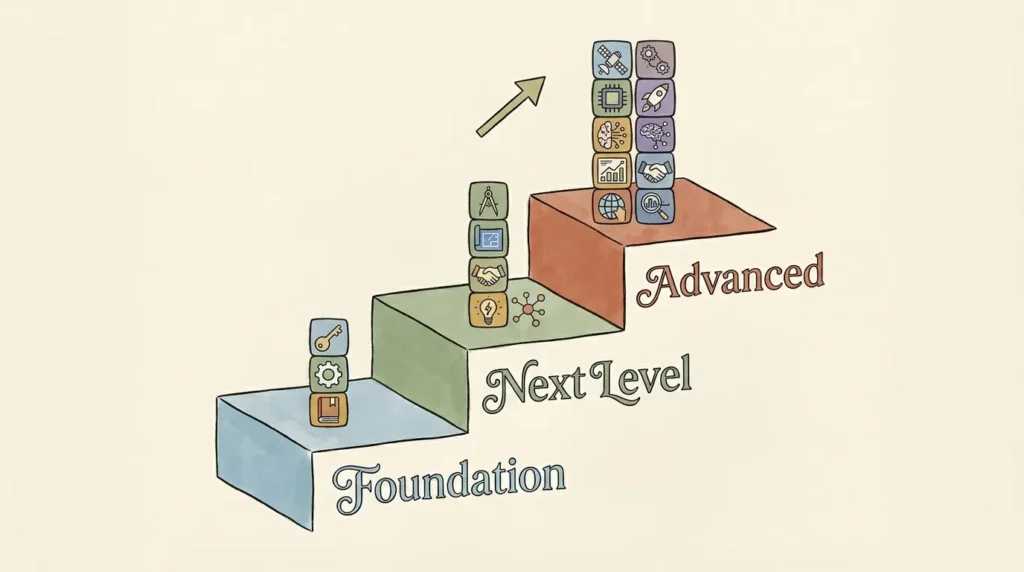
You don’t need every tool. Here’s the stack at three budget tiers.
Foundation Stack ($30 to $50/Month)
ChatGPT Plus or Claude Pro ($20) plus Canva Pro ($15) plus a solid email platform like MailerLite (free up to 1,000 subscribers, $10 above). This handles 70 to 80% of what most one-person businesses need. Run this stack for 60 to 90 days before adding anything.
Next Level Stack ($100 to $150/Month)
Add Notion AI ($10/user) for organization and project management, Otter.ai ($17) for meeting transcription, and Zapier Starter ($20) for automation. Total: roughly $115 to $135/month. This is where most one-person businesses settle once they’ve hit their stride with the foundation tools.
Try Zapier
Advanced Stack ($200 to $300/Month)
Add Jasper ($49) for content marketing at scale, Reclaim ($10) or Motion ($19) for AI-powered scheduling, and Tidio ($29) or Intercom Fin for customer service automation. At this level, you’re running the operational firepower of a small team. Most one-person businesses don’t need this stack until they’re consistently earning $10K+ per month.
Try Jasper
Build Incrementally
Don’t buy everything at once. The temptation is real (every tool looks great in the demo), but the right path is depth before breadth. Master ChatGPT or Claude over 30 days. Then add Canva. Then add a transcription tool. Each new tool gets easier to learn because you already understand the pattern of working with AI.
The 2-Hour Rule
Only add a tool if it saves at least 2 hours per week. That’s the ROI threshold. Below that, the cognitive overhead of managing another subscription isn’t worth it. At 2 hours/week saved against $20 to $50/month, the ROI is somewhere between 5x and 25x. That’s the kind of math that justifies the tool. Anything below that, skip.
How to Set Up Your First AI Workflow as a One-Person Business
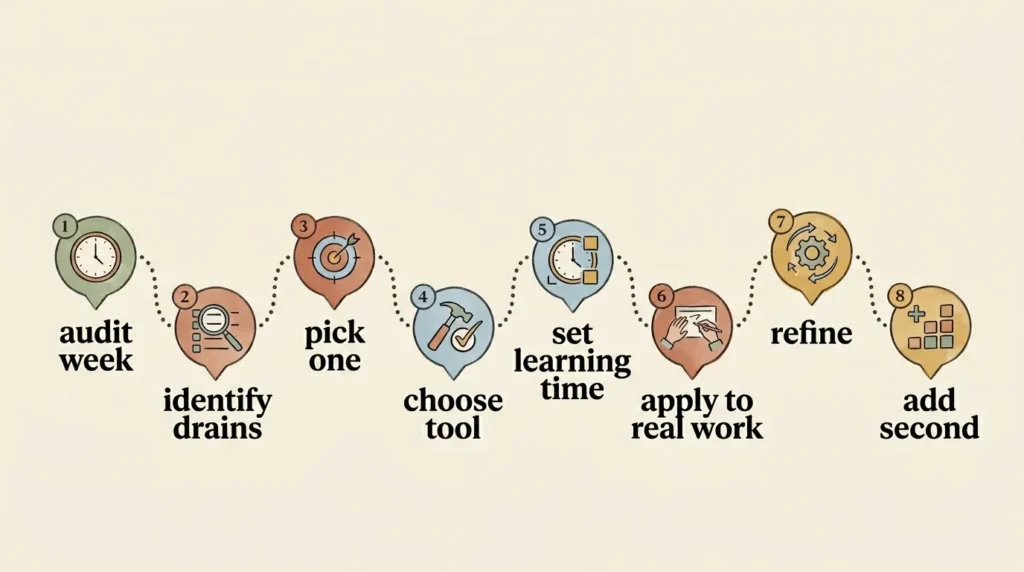
Reading about AI for one-person business owners doesn’t make you better at AI. Building your first workflow does. Here’s the 8-step process.
- Audit your current week. For 5 to 7 days, jot down where your time actually goes. Don’t over-engineer this.
- Identify your top 3 time-drains. Sort your list by hours consumed. The top 3 are your candidates.
- Pick ONE task to automate first. Resist the urge to tackle all three. Pick the one that drains you the most.
- Choose the right AI tool. For most first workflows, ChatGPT or Claude is the right answer. Don’t deliberate; pick one and start.
- Set aside 2 hours to learn the tool properly. Block it on your calendar. Phone away. Real focus time.
- Apply the tool to a real task this week. Don’t practice on theoretical examples. Use real work.
- Refine over the first 2 weeks. Your prompts will get sharper. Your patterns will solidify. Your outputs will improve dramatically by week three.
- Add a second workflow only after the first is habit. The second one takes a fraction of the time because you already understand the pattern.
A 30-Day Implementation Plan
Week 1: Audit your time, pick your tool, get familiar with ChatGPT or Claude. Week 2: Apply it daily to one specific task; build the habit. Week 3: Refine your prompts and add a second tool (probably Canva or a transcription tool). Week 4: Build your first multi-step automation in Zapier connecting two of the tools you’re now comfortable with. By day 30, you’ll have a working AI system. By day 60, it’ll feel like a small invisible team.
AI Use Cases by One-Person Business Type
Solo Consultants
Highest-leverage uses: client communication, proposals, and meeting follow-ups. ChatGPT for proposals, Otter for transcription, Notion AI for client knowledge management. A solo consultant who used to take six clients can comfortably take eight or nine without burning out.
Freelance Creatives (Writers, Designers, Developers)
Highest-leverage uses: client onboarding, project briefs, repurposing past work, and admin. The creative work itself stays human; the surrounding ops compress dramatically.
Online Coaches and Course Creators
Highest-leverage uses: lesson outlines, student support, email sequences, and content repurposing. One course module becomes ten distribution pieces with AI assistance.
Solo Ecommerce Owners
Highest-leverage uses: product descriptions, customer service chatbots, review responses, and social content. Shopify and Wix both have native AI features that handle a lot of this without an extra subscription.
Content Creators and Influencers
Highest-leverage uses: content repurposing, captions, scriptwriting, and audience research. The single biggest leverage point: turning one long-form piece into 10 short-form pieces.
Solo SaaS Founders and Indie Hackers
Highest-leverage uses: onboarding sequences, support chatbots, marketing copy, and lead nurture. The economics are particularly strong here because the cost of any individual user is high enough that AI handling pays back fast.
Solo Service Professionals (Accountants, Lawyers, Real Estate)
Privacy is the top concern. Use Claude (Pro or Team) over ChatGPT for any client work. Industry-specific tools (Harvey for legal, real estate listing tools) often outperform general AI for the regulated workflows.
Digital Nomads and Location-Independent Solopreneurs
Highest-leverage uses: time zone management, async communication, and operational consistency across travel. AI handles the work while you handle the geography.
How AI Replaces (or Doesn’t Replace) Hiring Help
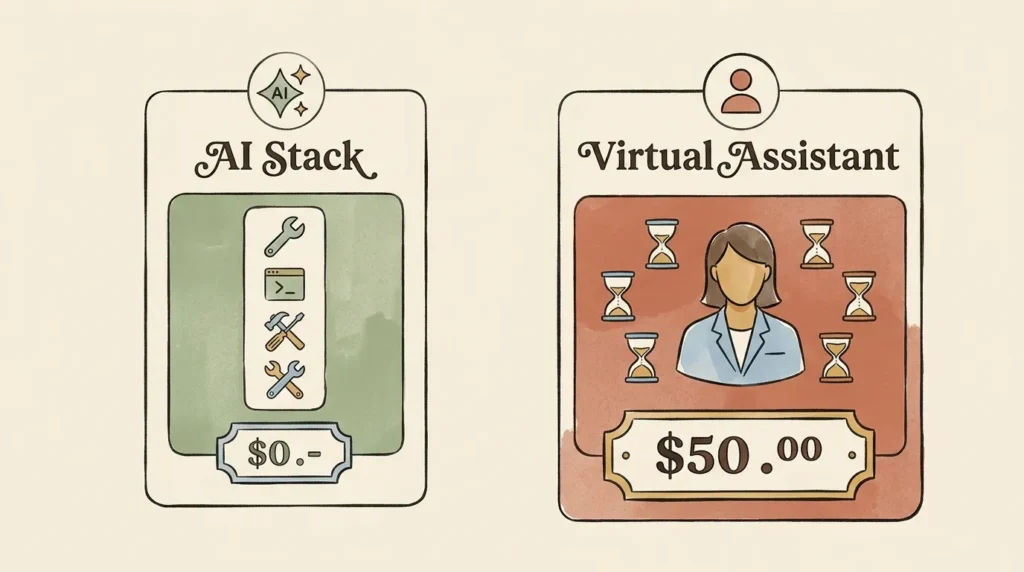
This is the question every one-person business owner wrestles with: should I hire someone, or should I just build better AI workflows? Honest answer: it depends on the type of work, but for most solo operators in 2026, AI is increasingly the better first move.
The Math
A part-time virtual assistant typically costs $1,500 to $3,000/month. A complete AI stack for a one-person business costs $50 to $200/month. The cost difference is a full order of magnitude. Even better: AI runs 24/7, never asks for time off, and onboards in an afternoon.
Tasks Where AI Wins
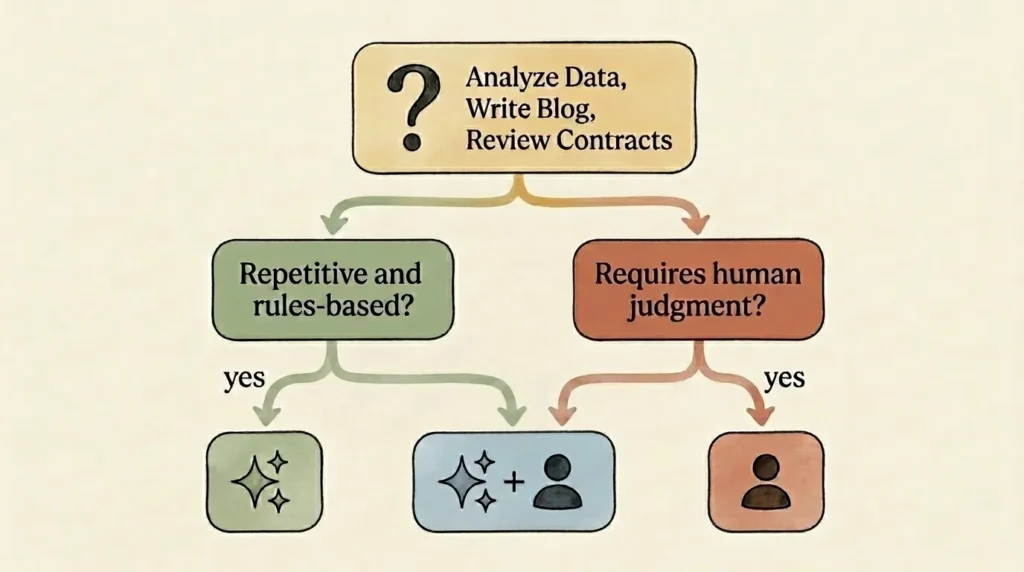
Repetitive, rules-based work. Email triage, data entry, scheduling, content drafting, lead scoring, transcription, FAQ responses, social media drafting, basic research. Anything with predictable structure and clear inputs/outputs. AI does these faster, cheaper, and more reliably than a human VA.
Tasks Where a Human VA Wins
Relationship management. Sensitive client conversations. Creative judgment calls. Complex multi-step research that requires real understanding. Emotionally nuanced communication. Anything where being human is the actual point. A good VA brings judgment AI can’t. Don’t outsource that to a chatbot.
The Hybrid Approach
Most one-person businesses are best served by a strong AI stack ($100 to $200/month) plus an occasional contractor for the human-judgment work ($200 to $500/month for project-based work). That combined budget is still meaningfully less than a full-time hire, and you get both AI’s consistency and human judgment where it matters.
When to Actually Hire
When the work consistently requires real-time human relationship-building (sales calls, client management at scale), when you’re bottlenecking growth despite a maxed-out AI stack, or when you’ve genuinely outgrown the one-person business model. If you’re hiring because you’re tired and overwhelmed, hire judiciously, but try one more pass at AI workflows first. Most exhaustion problems are workflow problems in disguise.
The Single Biggest Mistake One-Person Business Owners Make With AI
Trying to use AI for everything at once.
I see it constantly. A solo operator gets excited about AI, subscribes to ChatGPT, Jasper, Notion AI, Zapier, Canva, Reclaim, Otter, and three smaller tools all in the same month. Two months later, they’re using one of them seriously, paying for all nine, and feeling no more productive than they did before. Sound familiar?
The Shiny Object Trap
AI moves fast. New tools launch weekly. The temptation to chase every new release is real, especially when each one promises to solve your problems. The discipline that wins: pick a tool, master it deeply, then evaluate whether you actually need the next one. Most of the time, you don’t.
Mastery Beats Variety
A one-person business owner who has truly mastered ChatGPT and Canva will outproduce one who dabbles across nine tools. Depth compounds. Breadth doesn’t. Pick the few tools that fit your work, learn them genuinely well, and resist the urge to chase the next thing.
The Simple Test
Before adding any tool, ask yourself: “Is this saving me time, or just impressing me?” Be honest. The honest answer is usually “impressing me.” That’s the one to skip.
Common AI Mistakes That Hurt One-Person Businesses
- Posting AI-generated content without editing. Audiences can tell. Always add your voice, your details, your perspective.
- Using AI for tasks that need human judgment. Sensitive client conversations, hiring decisions, anything emotional. Stay in the loop.
- Ignoring data privacy. Free tiers send data to third-party servers. For client work, use business tiers or anonymize.
- Letting AI handle customer service unsupervised. AI handles the 80%. You stay in the loop on the 20% that matters most.
- Subscribing to tools you don’t use. Audit your stack quarterly. Cut anything not earning its keep.
- Treating AI as a replacement for strategy. AI saves time on execution. It doesn’t tell you what to execute on.
- Forgetting to maintain your authentic voice. Your voice is your competitive moat. AI amplifies it, doesn’t replace it.
- Not tracking the actual time savings. If you’re not measuring, you don’t know what’s working. Track for the first 90 days.
How to Maintain Your Authentic Voice With AI
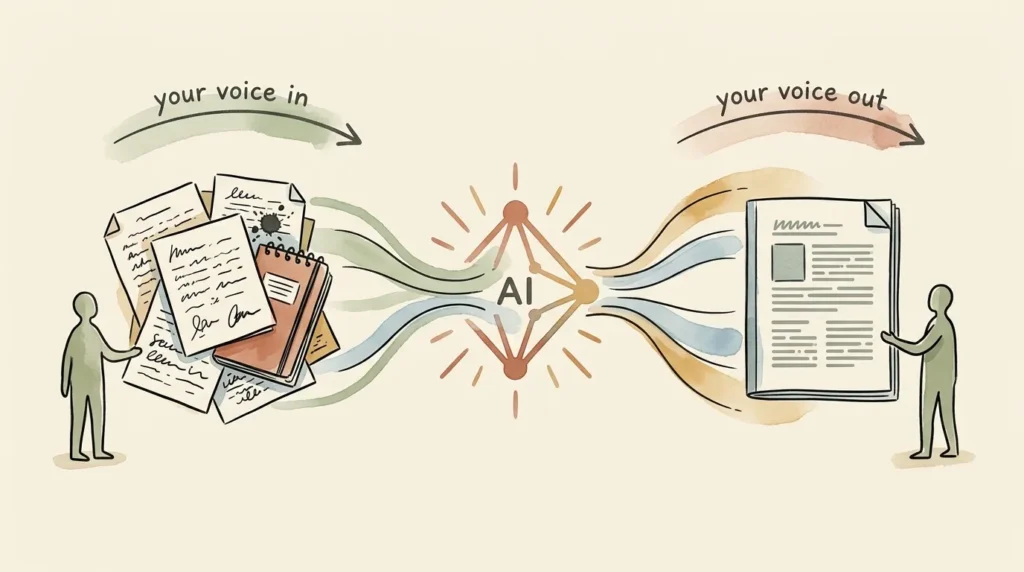
One-person businesses succeed because of personality, not despite it. Your voice, perspective, and quirks are why people choose you over a corporate alternative. AI is a real risk to that, but only if you use it badly.
Why Default AI Output Sounds Generic
Default AI output is trained to sound average, because it’s averaged across millions of writing samples. If you publish raw AI output, you’ll sound like everyone else who publishes raw AI output. The fix is straightforward: train AI on your voice and always edit before publishing.
Train AI on Your Existing Style
Paste 3 to 5 samples of your best past writing into a single ChatGPT or Claude conversation and ask: “Study these samples carefully. Identify the specific patterns: tone, sentence length, word choice, common phrases, what I avoid. Summarize my voice in a single paragraph I can paste into future prompts.” Save that paragraph. Paste it at the top of any prompt where voice matters. Output quality on brand-aligned content jumps dramatically.
Use Custom Instructions
ChatGPT’s Custom Instructions and About You sections, and Claude’s Projects, let you save voice training and business context permanently. Set them up once and every conversation starts pre-loaded with your context. This is the single biggest setup decision for any one-person business using AI.
The Editing Rule
Never publish AI content without humanizing it first. Add a personal anecdote. Sharpen a specific opinion. Cut the hedge phrases. Rewrite at least 20% of any AI draft in your own words. The output will feel like you because you’re still the editor.
Privacy and Security for Solo Operators Using AI
Where Your Data Goes
When you paste content into a free AI tool, it travels to that provider’s servers and may be retained for training. On free and Plus tiers, settings vary. On business and enterprise tiers, data is generally not used for training and is subject to stricter handling.
Tools That Prioritize Privacy
Claude has historically taken a more conservative posture on training data. ChatGPT Team and Enterprise tiers don’t train on inputs by default. Microsoft Copilot for Microsoft 365 keeps data inside your tenant. For client work involving sensitive data, these are the right choices.
What NOT to Put Into AI
Sensitive client information, passwords, payment data, full Social Security numbers, attorney-client privileged communications, or anything covered by HIPAA, GDPR, or CCPA without specific compliance configuration. For these, use a business tier, anonymize, or skip AI entirely for the regulated workflow.
A Simple Pre-Use Privacy Checklist
- Read the tool’s privacy policy before pasting client data.
- Use business or enterprise tiers for any work involving client information.
- Turn off training settings if available.
- Anonymize data before pasting (“Client A” instead of real names).
- Document your AI usage policies in a one-page internal doc, even as a solo operator.
How to Future-Proof Your One-Person Business With AI
Skills Worth Developing
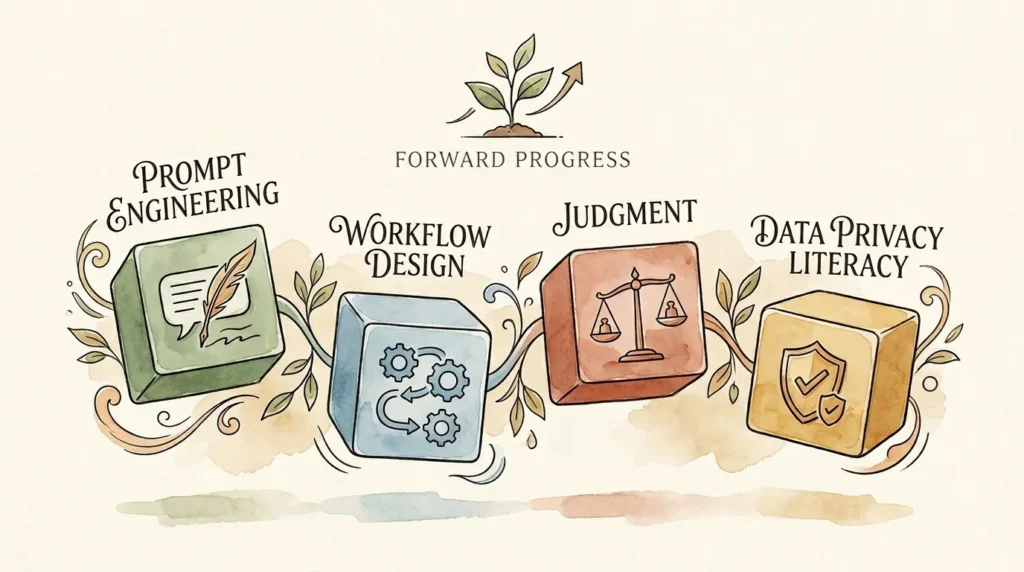
Prompt engineering. Workflow design. Knowing when to trust AI and when to override it. Critical reading of AI output. Data privacy literacy. None of these require coding. All of them will be more valuable in 2030 than they are today. Spend an hour a week building these muscles and you’ll be miles ahead of competitors who keep waiting.
Stay Current Without Drowning
You don’t need to read every AI newsletter on the internet. Pick one good source, follow it weekly, and ignore the rest. Block 30 minutes a month to test one new feature or tool. The compounding effect of small, regular learning beats panic-binging every six months.
Build an AI-First Mindset
Whenever you start a new task, pause and ask: “Could AI do part of this?” Most of the time, the answer is yes. Over a few months, this question becomes automatic. That’s when AI for one-person business work stops being a tool you remember to use and starts being part of how you operate by default.
AI Agents Are Coming
The next 2 to 3 years will see AI agents (systems that take multi-step actions on your behalf, not just answer questions) become reliable enough for serious solo business use. Solo operators who learn the basics now will be ready when agents go mainstream. Those who wait will be 18 months behind on the operational learning.
Frequently Asked Questions About AI for One-Person Business
Can AI really run a business by itself?
No. AI handles tasks, not businesses. Your strategic decisions, customer relationships, and unique perspective stay yours. What AI does is multiply your operational capacity, so you can run more of the business yourself without hiring.
What’s the minimum AI tool stack for a one-person business?
Honestly, ChatGPT or Claude (free tier or $20/month Plus) is enough to handle 60 to 70% of common one-person business AI use cases. Add Canva (free or $15/month) and you’re covered for visuals. Total minimum stack: $0 to $35/month.
Do I need to be technical to use AI?
No. Every tool in this guide is no-code. The skills required are the same skills you use to write emails and fill out web forms. If you can do those, you can use AI.
Will using AI make my business feel less personal?
Only if you use it badly. Used well (drafting, then editing in your voice), AI makes you more responsive and consistent, which clients perceive as MORE attentive, not less. The danger is publishing raw AI output. Always edit.
How do I start with AI when I have zero experience?
Sign up for ChatGPT (free tier). Open it. Paste in a real task you do every week (writing an email, drafting a proposal, summarizing a meeting). See what comes out. Edit it. Use it. That’s the entire on-ramp. The learning curve is real but short.
Is AI worth the monthly cost for a one-person business?
If you’re using even a $20/month tool to save 5+ hours a week, the ROI is roughly 25x. For most one-person businesses, AI is the highest-ROI subscription you’ll ever pay for. The only way it’s not worth it is if you don’t use it consistently.
Can AI help me grow without hiring employees?
Yes, and this is increasingly the dominant pattern for one-person businesses. AI lets a solo operator handle the workload that used to require a small team. Many one-person businesses now skip the “first hire” stage entirely.
What if I’m worried about AI replacing my skills?
AI replaces tasks, not the underlying skills that make you valuable. Your judgment, creativity, perspective, and relationships are still yours and still rare. AI just handles more of the surrounding work, which frees you to spend more time on the parts that only you can do.
Conclusion: One Workflow at a Time
Here’s the truth about running a one-person business in 2026: you’re either using AI to multiply yourself, or you’re falling behind people who are. That’s not hype. That’s the new economics of solo entrepreneurship.
The good news? You don’t need to overhaul your business overnight. You don’t need to subscribe to 15 tools. You don’t need to learn coding or become a “tech founder.” You just need to start with ONE workflow that solves a real problem you have right now.
Pick the task that drains you the most this week. Find the one AI tool that addresses it. Use that tool until it becomes second nature. Then add the next one. That’s the entire playbook for transforming your one-person business with AI: slowly, steadily, and sustainably.
The one-person businesses that will dominate the next decade aren’t the ones that hire the most. They’re the ones that learn to operate with the leverage of a team while keeping the agility of a solo operator. AI for one-person business work is what makes that possible.
You don’t need a co-founder, a team, or a VA to build a successful one-person business in 2026. You need a smart AI workflow and the discipline to use it consistently.
Want practical AI tips for one-person businesses delivered every Friday? Subscribe to the No Fluff AI Tools newsletter. I share real workflows, tool reviews, and honest takes on what actually works for solo operators.
Ready to dive deeper? Check out my full guide to the Best AI Tools for Small Business in 2026 for hands-on reviews of every tool mentioned in this article. And if you want strategy-level advice, How to Use AI for Small Business is a great companion read.
Last Updated: May 2026